No Flying Shake 1.1
 으로 지원하기



68
13
68
13
Finally, no more camera shake when flying!
I have been trying to fix this since I started flying in GTA
This is the ONLY thing i do in GTA
So I got tired of forcing the camera shake to disable by shooting my gun
Updates:
1.1:
- Added ini
- Can be toggled on and off by keys F8 by default
- Ini can reload values on enable so hashes can be changed while in game
- so far ive only found 12 on first look but more camera effects can be add by ini
- seems most are run once kind of shakes, so maybe a toggle can be found to repeat?
I have found about 30 extra effects without names. Also found the hash for looping shake effects. Still testing but could create some interesting effects.
Thanks to a63nt-5m1th from the forums all the way back in 2021
He directed me to the cameras.ymt and changing it with Cheat Engine
Sadly thats too much work and I completely forgot about it
Until I found this video that helped me make an ASI
GitHub ASI Mod Builder
YouTube The easy way to ASI scripts
GTA 5 Mods ASI Mod Builder
This ASI scans GTA V’s runtime memory for camera shake hash values stored in heap-allocated camera metadata structures and directly replaces the skydiving shake hash with the parachuting shake hash. Instead of hooking game functions or modifying execution flow, it performs a data-level patch, ensuring the engine continues running normally while reading the modified value. Because the camera system resolves effects through these hash IDs at runtime, the change takes effect immediately and removes the unwanted camera shake without affecting game stability.
So YAY no more flying shakes!
Place NoMoreShake.asi in the GTA folder
So far these values havent changed since 2021 so let me know if it doesnt work
I have been trying to fix this since I started flying in GTA
This is the ONLY thing i do in GTA
So I got tired of forcing the camera shake to disable by shooting my gun
Updates:
1.1:
- Added ini
- Can be toggled on and off by keys F8 by default
- Ini can reload values on enable so hashes can be changed while in game
- so far ive only found 12 on first look but more camera effects can be add by ini
- seems most are run once kind of shakes, so maybe a toggle can be found to repeat?
I have found about 30 extra effects without names. Also found the hash for looping shake effects. Still testing but could create some interesting effects.
Thanks to a63nt-5m1th from the forums all the way back in 2021
He directed me to the cameras.ymt and changing it with Cheat Engine
Sadly thats too much work and I completely forgot about it
Until I found this video that helped me make an ASI
GitHub ASI Mod Builder
YouTube The easy way to ASI scripts
GTA 5 Mods ASI Mod Builder
This ASI scans GTA V’s runtime memory for camera shake hash values stored in heap-allocated camera metadata structures and directly replaces the skydiving shake hash with the parachuting shake hash. Instead of hooking game functions or modifying execution flow, it performs a data-level patch, ensuring the engine continues running normally while reading the modified value. Because the camera system resolves effects through these hash IDs at runtime, the change takes effect immediately and removes the unwanted camera shake without affecting game stability.
So YAY no more flying shakes!
Place NoMoreShake.asi in the GTA folder
So far these values havent changed since 2021 so let me know if it doesnt work
최초 업로드: 3일 전
마지막 업로드: 23시간 전
마지막 다운로드: 3시간 전
댓글 17
More mods by InfiniteQuestion:

- 사운드
56
10
1.0
Finally, no more camera shake when flying!
I have been trying to fix this since I started flying in GTA
This is the ONLY thing i do in GTA
So I got tired of forcing the camera shake to disable by shooting my gun
Updates:
1.1:
- Added ini
- Can be toggled on and off by keys F8 by default
- Ini can reload values on enable so hashes can be changed while in game
- so far ive only found 12 on first look but more camera effects can be add by ini
- seems most are run once kind of shakes, so maybe a toggle can be found to repeat?
I have found about 30 extra effects without names. Also found the hash for looping shake effects. Still testing but could create some interesting effects.
Thanks to a63nt-5m1th from the forums all the way back in 2021
He directed me to the cameras.ymt and changing it with Cheat Engine
Sadly thats too much work and I completely forgot about it
Until I found this video that helped me make an ASI
GitHub ASI Mod Builder
YouTube The easy way to ASI scripts
GTA 5 Mods ASI Mod Builder
This ASI scans GTA V’s runtime memory for camera shake hash values stored in heap-allocated camera metadata structures and directly replaces the skydiving shake hash with the parachuting shake hash. Instead of hooking game functions or modifying execution flow, it performs a data-level patch, ensuring the engine continues running normally while reading the modified value. Because the camera system resolves effects through these hash IDs at runtime, the change takes effect immediately and removes the unwanted camera shake without affecting game stability.
So YAY no more flying shakes!
Place NoMoreShake.asi in the GTA folder
So far these values havent changed since 2021 so let me know if it doesnt work
I have been trying to fix this since I started flying in GTA
This is the ONLY thing i do in GTA
So I got tired of forcing the camera shake to disable by shooting my gun
Updates:
1.1:
- Added ini
- Can be toggled on and off by keys F8 by default
- Ini can reload values on enable so hashes can be changed while in game
- so far ive only found 12 on first look but more camera effects can be add by ini
- seems most are run once kind of shakes, so maybe a toggle can be found to repeat?
I have found about 30 extra effects without names. Also found the hash for looping shake effects. Still testing but could create some interesting effects.
Thanks to a63nt-5m1th from the forums all the way back in 2021
He directed me to the cameras.ymt and changing it with Cheat Engine
Sadly thats too much work and I completely forgot about it
Until I found this video that helped me make an ASI
GitHub ASI Mod Builder
YouTube The easy way to ASI scripts
GTA 5 Mods ASI Mod Builder
This ASI scans GTA V’s runtime memory for camera shake hash values stored in heap-allocated camera metadata structures and directly replaces the skydiving shake hash with the parachuting shake hash. Instead of hooking game functions or modifying execution flow, it performs a data-level patch, ensuring the engine continues running normally while reading the modified value. Because the camera system resolves effects through these hash IDs at runtime, the change takes effect immediately and removes the unwanted camera shake without affecting game stability.
So YAY no more flying shakes!
Place NoMoreShake.asi in the GTA folder
So far these values havent changed since 2021 so let me know if it doesnt work
최초 업로드: 3일 전
마지막 업로드: 23시간 전
마지막 다운로드: 3시간 전
 5mods on Discord

There's already a script called no turbulence
@skipper00123 That only works for turbulence when flying airplanes or helicopters. This is specifically for when sky diving or falling the camera has a scripted shake that can't be turned off.
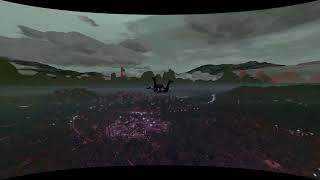
jesus man that video looks like a fever dream, nice mod tho
@thalilmythos "When I was a child, I had a fever"
Thank you. For those that do sky fly it's been a requested feature since 2015.
It works as expected. Cam shake while falling is completely gone. Awesome work, thank you.
Can add an ini configuration to turn it on and off at any time during the game?
@JoyLucien Possibly. Looking to also see if any other values can also be changed such as swapping screen shake effects.
@Scarlet63154 Thank you for testing
@JoyLucien Ini has now been added as well as in game toggles. Upon toggle on you can switch effects in game by the ini. FAMILY5_DRUG_TRIP_SHAKE gives some interesting camera twists...
What I need to change is
oldshake=SKY_DIVING_SHAKE
newshake=PARACHUTING_SHAKE
[Shakes] below is just a list of all shakes that cannot be modified, what does oldshake and newshake mean, and which one is enabled when pressing F8
@JoyLucien oldshake is currently what's in cameras.ymt. When you press F8 it reads the ini and switches oldshake for newshake. When you press again it just reverts changes. You can add any name under shakes to newshake for the effect to take place in game. Restarting game is not required. If you want to add new names and hashes to test you can. I found more to try. Also working on a loop because the drunk cam is fun. Still looking for which controls first person view or third.
@InfiniteQuestionHow is the name and hash of the [Shakes] list obtained, can I only select these from the [Shakes] list to replace newshake for the time being?
@JoyLucien I'm learning this as I go. Using Hash Collider I extracted the dictionaries into codewalker nametables so cameras.ymt hashes are named. There I find all the shake references, the names in the ini were the hashes that were named. There is about 15 more shake names that have no hash names matched. You can try yourself if you add them to the ini. Eventually I'll test them all, seeing if I can brute force their names, so far no luck.
@InfiniteQuestion I think it should be possible to add newshake yourself in its format, so that the custom name shake can be read
@JoyLucien all you really need is the hash. The name is not needed for code, just to reference something in the Shake list. The name could be anything testshake=0x.....
@InfiniteQuestion You can add a custom CAM type in cameras.ymt in the format it already exists, and then convert it to a hash, provided that the game's reading of the CAM type is not hardcoded.
@JoyLucien are you talking about editing the cameras.ymt? As far as I know it crashes the game, so only way to add camera is custom cameras through script. I tried but the games scripted camera overrides any custom camera. I'm not sure
@InfiniteQuestion Then it should be hardcoded