GTS - Another Fan Update 2.11









3,211
62
3,211
62
November 2025 - Bug Fixes and New Content Update of Grand Theft Space / GTA Space mod - Another Fan Update by FLASH76
-- Note : Version 2.11 only affects the GTStargatesFixes scripts to fix stargate teleportation bugs and add teleportation shortcuts to Los Santos and North Yankton. Please follow the instructions in the new archive --
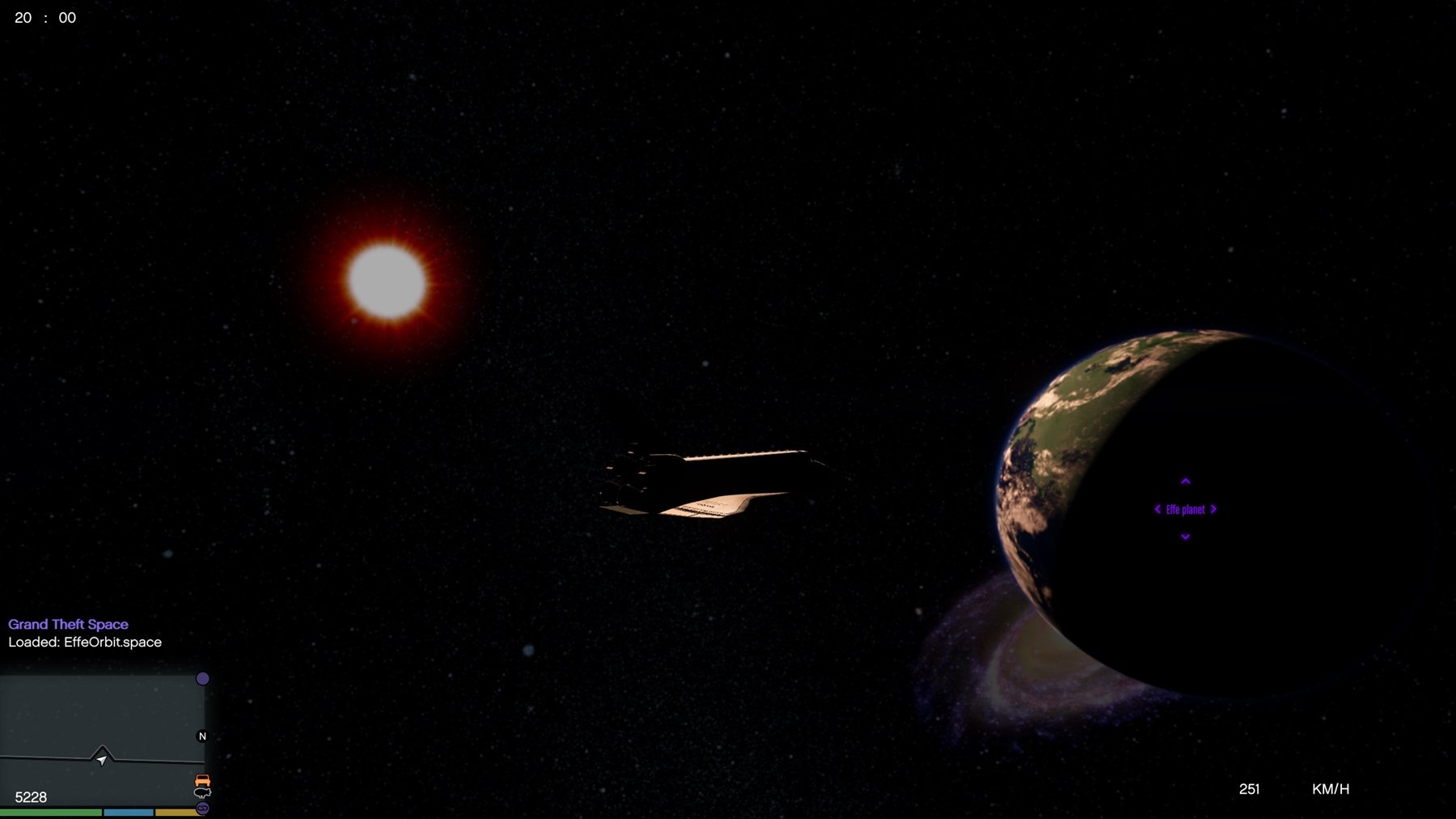
I've always been a fan of GTS Devs' "Grand Theft Space" mod which allows the player to travel through space in GTA V, having been disappointed to see updates to this mod stopped in 2017.
I then started a mod project inspired by the "Stargate SG1 / Atlantis" series. And I could see that GTS fans like MarcoSzwk had released updates improving and modifying GTS.
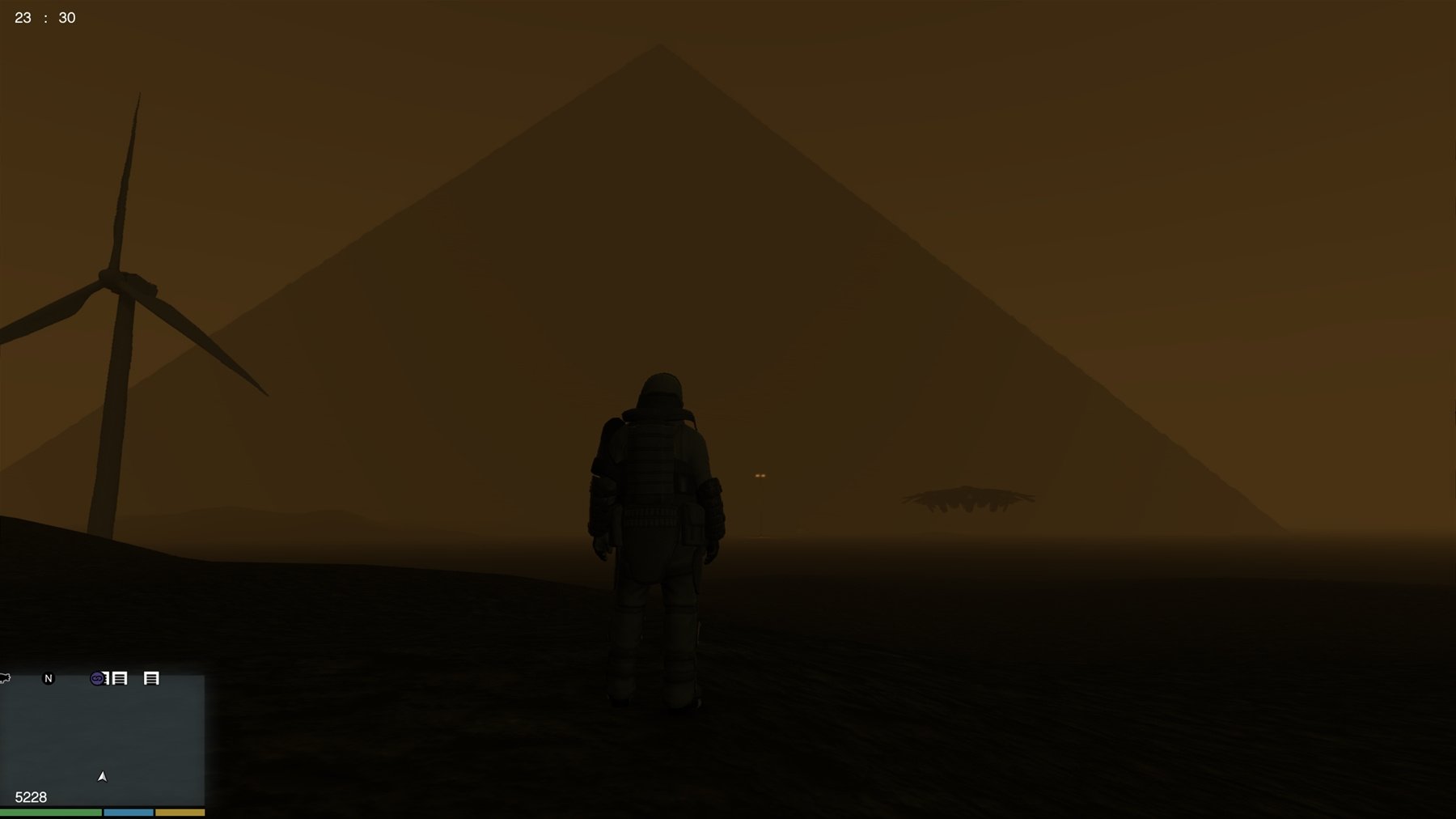
After analyzing how GTS worked, I learned how to create new planets, solar systems and more in the game, and more recently how to load new maps (cities, camps, bases, vehicles, pedestrians) via GTS. So, in the base mod, I've added 7 planets, a satellite, 3 cities, 6 bases, 2 SGCs (Stargate centers) and an encampment, with plenty more to come. I've also reworked and improved the base mod (teleportation positions, planet placements, fixed some bugs etc).
I've also integrated my "Stargate" mod, allowing the player to use stargates instead of navigating through space in a starship (both are possible, see below instructions).
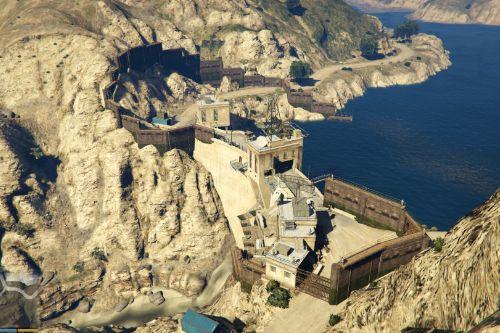
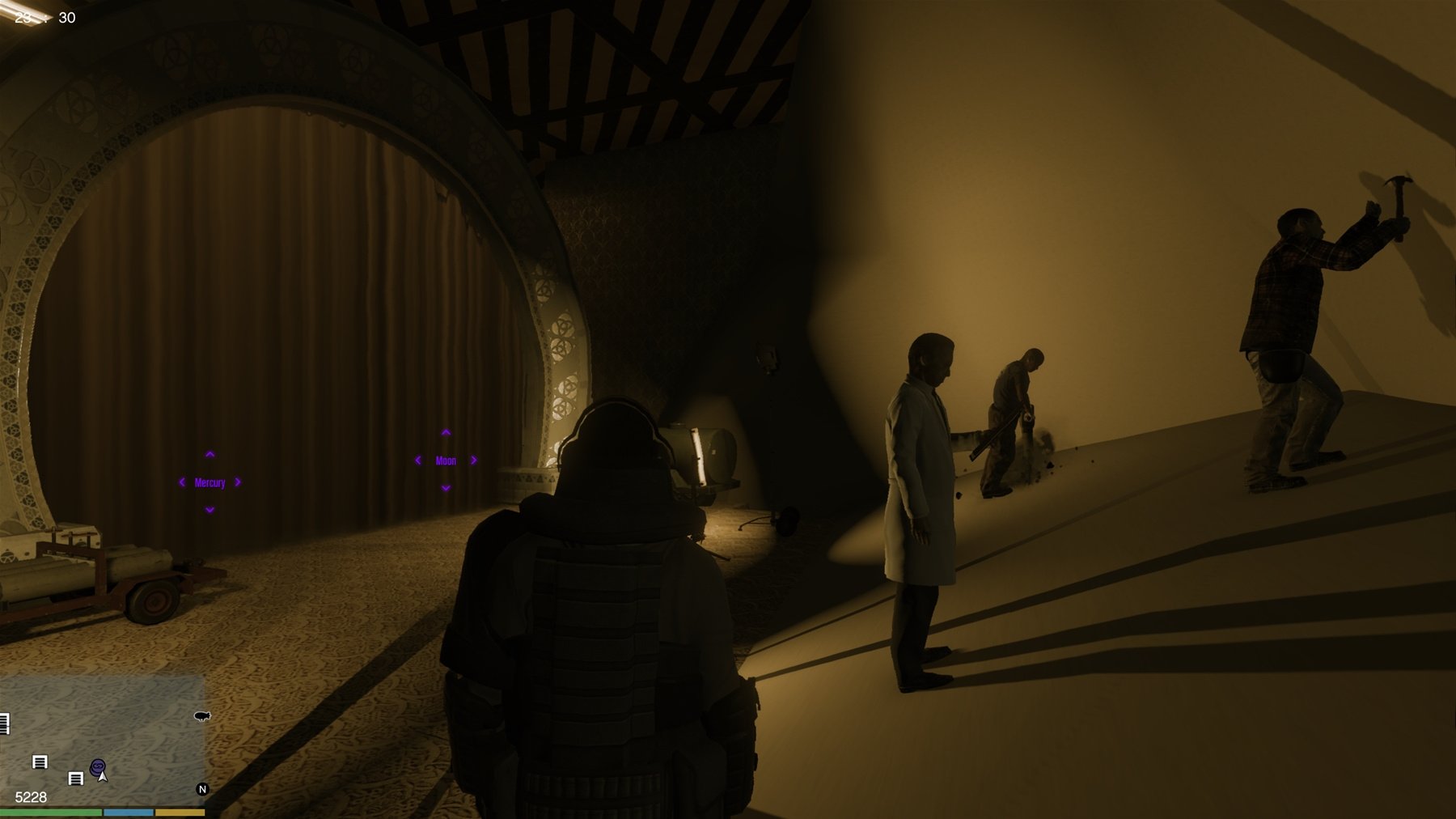
In the GTA V universe of the mod I created, the center of operations (SGC) and the first stargate are located on the Moon, in an autonomous base created beneath the surface.
Fort Zancudo's secret space exploration and exploitation program has been led by Colonel Larson for over 8 years.
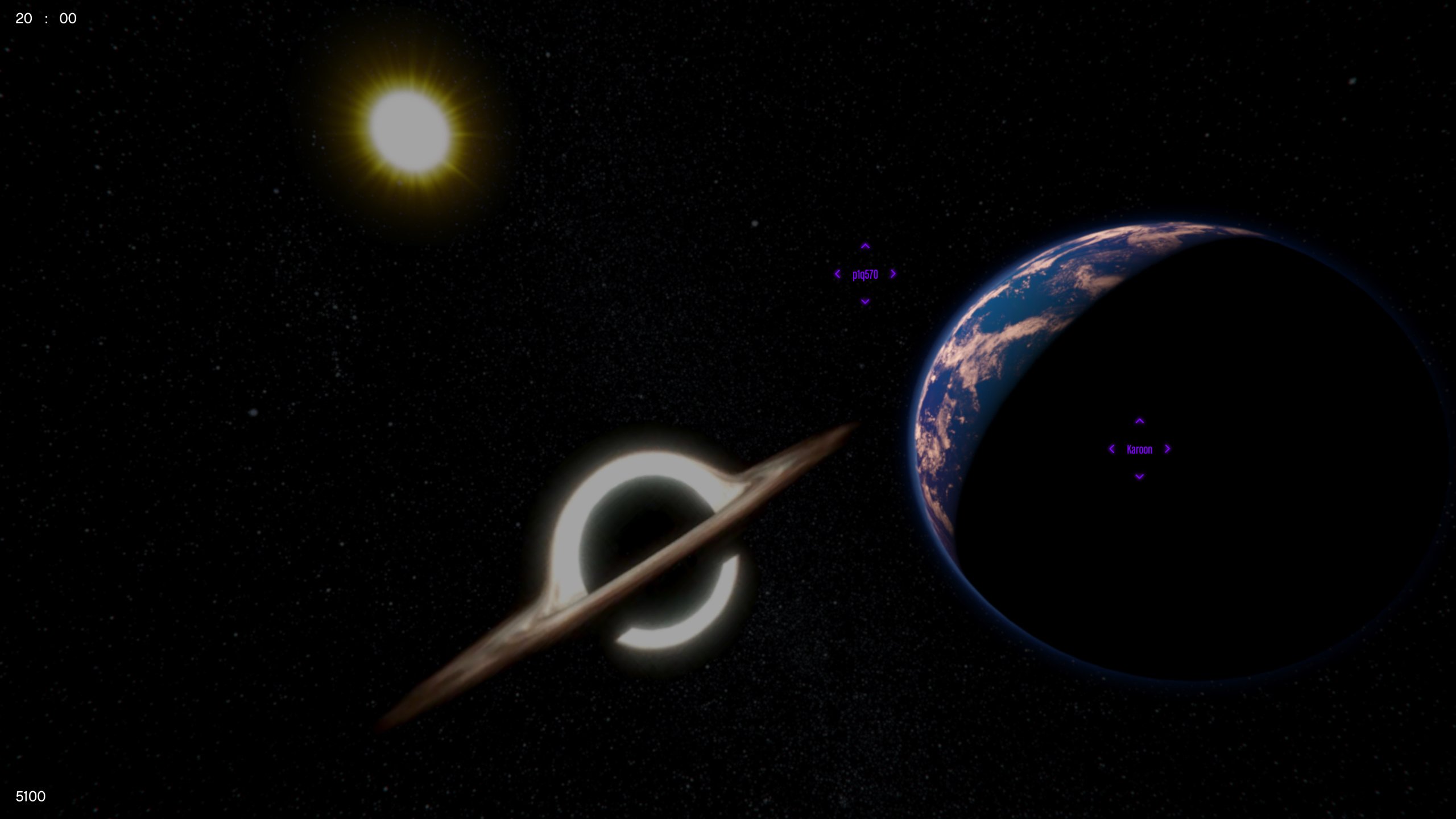
The colonized planets are part of the "Space Federation", an international colonial state with its own government based on both planets called "Karoon" and "Atlantis".
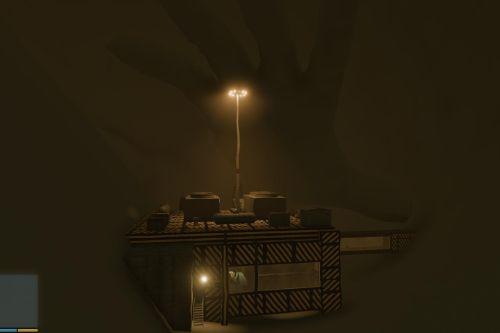
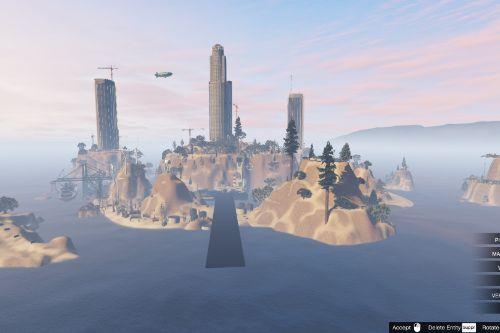
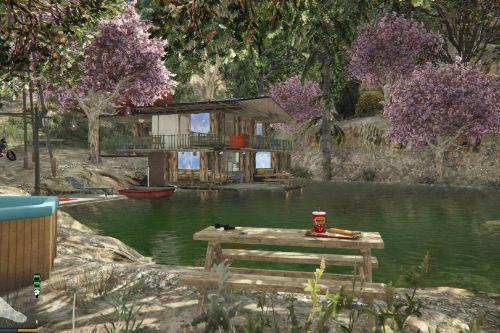
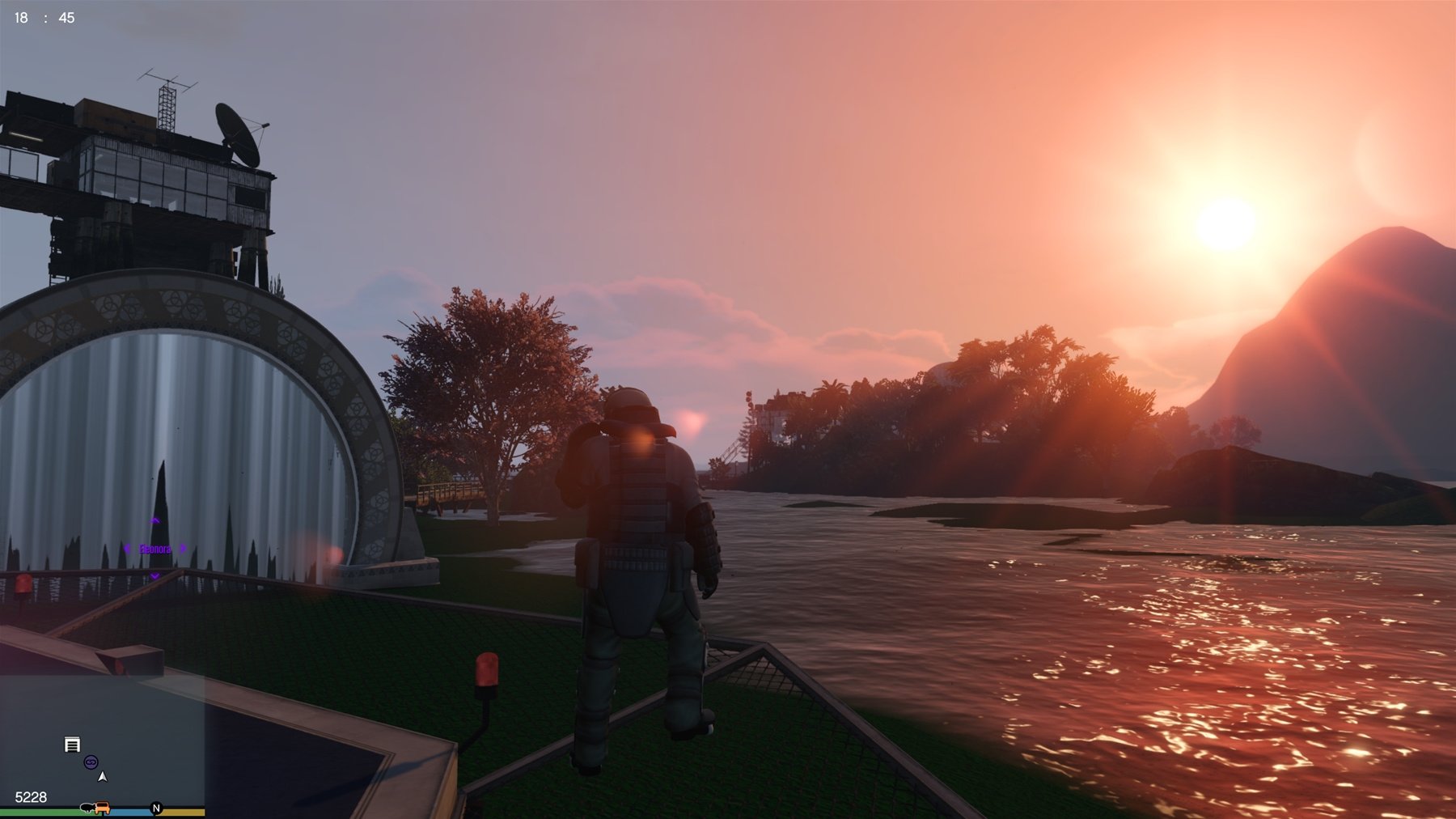
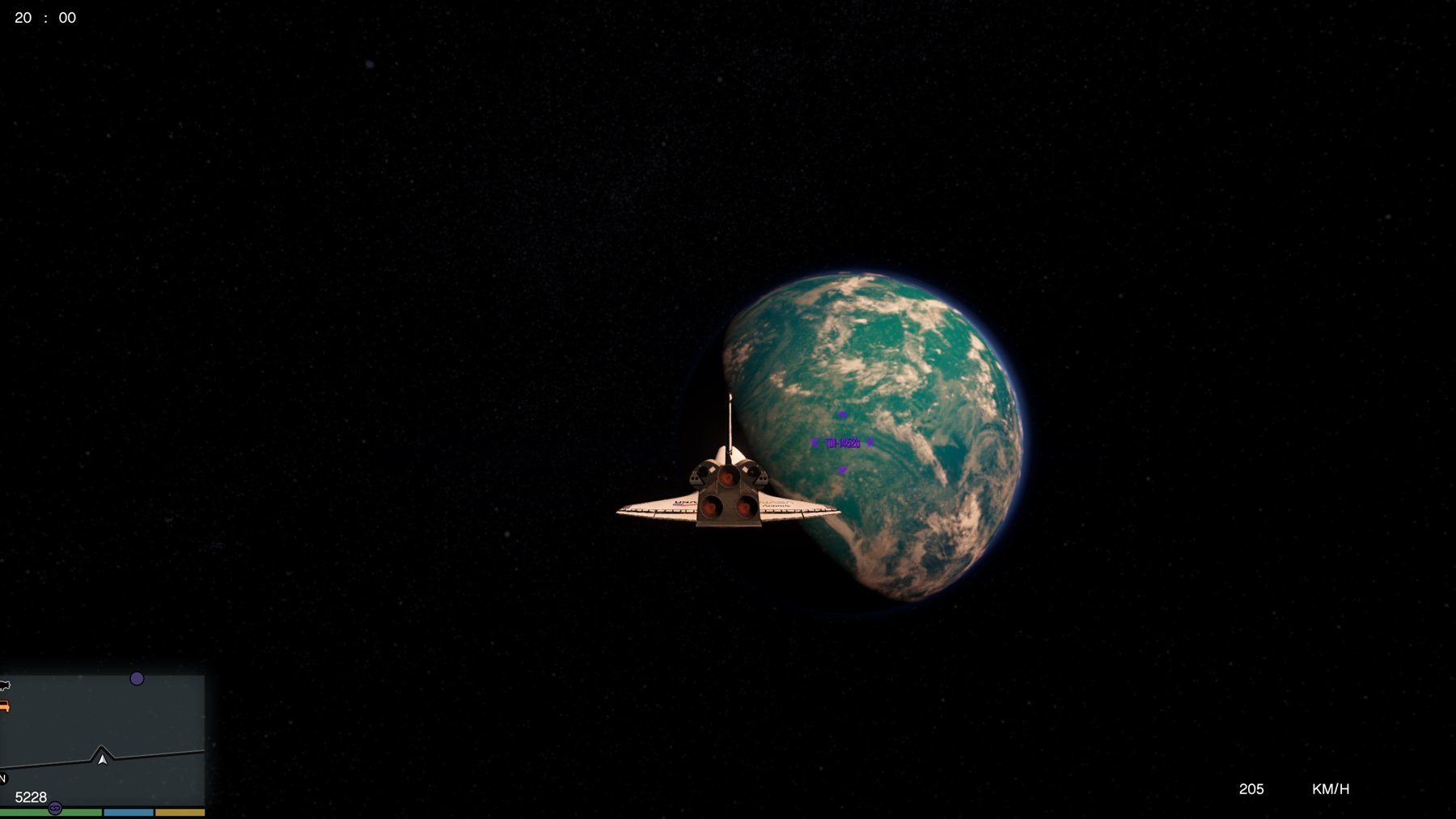
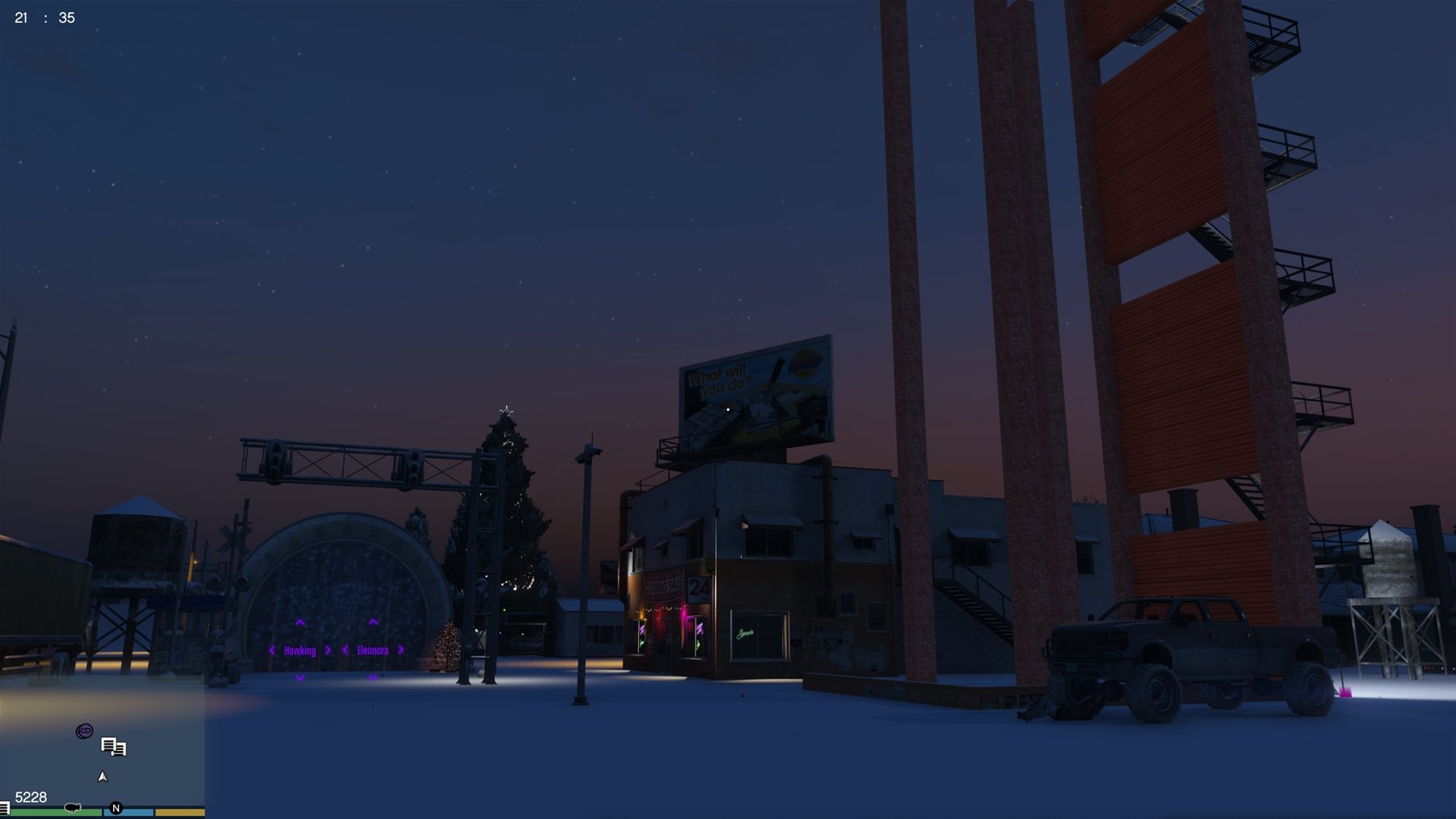
In the latest Novembre 2025 update, a stargate has been added on the Earth for the first time, on GTS Island, with an apartment and interior where you can save your game and travel in space without any spaceship. And a new map has been added on Hawking planet : luxury residence, swimming pool, terrace, etc !
To be notified of updates and my mods (on Facebook): https://www.facebook.com/FlashProjectsAdmin/
Changelog : V2.10 (15/09/2025) : Bug Fixes, and New Content Update
- Now supports the latest GTAV version (1.0.3586.0)!
- Fix for most crashes, black screen bugs, and infinite loading between planets and/or Stargates thanks to a new included script (GTSCrashFixer.cs, see readme.txt).
- Added a Stargate on Earth, linked to the Moon, on GTS Island.
- Added an apartment and office interior next to the new Earth Stargate, on GTS Island (you can save your game here for faster access to space).
- Added the ZANUFO vehicle to GTS Island, replacing the bugged shuttle launch in space.
- Added the ability to go back to Earth using the Mercury Stargate.
- Using the GTS menu, or using the Mercury Stargate to go back to Earth, will lead you directly to the new Earth Stargate, unless you use the menu to return to Earth with a vehicle (center of the map).
- The Stargate transmitter now automatically turns ON when going through a Stargate, and turns OFF when entering a vehicle on the planet map, or after 2 minutes of activation in-game.
- Resolved a bug that caused permanent nighttime in the Space mod around Earth and Moon orbit.
- Fixed an issue between the Moon and Mars Stargates (spawning in the void); they now work correctly.
- Fixed an issue between the Eleonora and Douglas Stargates (instant death).
- Fixed an issue between the Hawking and Douglas Stargates (spawn in ocean).
- Fixed an issue between the Pluto and Atlantis Stargates (game crash).
- Fixed an issue between the Karoon and Effe Stargates (game crash).
- Fixed an issue with the Uranus texture ; it now works correctly.
- Removed an object bug and updated the Casino position on Douglas planet.
- Adjusted some Stargate spawning positions to prevent instant player death.
- Adjusted trigger positions on the Mars and Pluto Stargates.
- Combined the GTSspawnfixer.cs, GTStargatefixer.cs, GTSCrashFixer, and GTStexturefixer.cs scripts into a single new script : "GTStargatesFixesV1.cs".
- Added the ability to enable/disable the "Object Texture Fixer" included in "GTStargatesFixesV1.cs" using the F2 key (enabled by default). You can now disable this feature if you are using a map editor or Menyoo to avoid crashes or conflicts with your map mods/object spawning.
- Fixed an object bug and a ped animation issue on Venus in front of the Stargate ; they now spawn correctly.
- You can now edit the keybindings for all GTStargatesFixesV1.cs controls in the "GTStargatesFixesV1.ini" file.
- Added a new map on Hawking planet (luxury residence, swimming pool, terrace, etc)!
- Adjustment of atmospheric input values in GTS.ini and in all files related to planetary surfaces
- Updated Readme.txt and new instructions.
- Updated ObjectList.ini with some space objects usable with Map editor / Menyoo
- Preparing the next Winter update for GTS - Another Fan Update, which will include new maps, cities, and islands !
- Currently working on GTAV Enhanced version compatibility.
You can find the complete history of previous versions in the "Changelog.txt" file.
INSTALLATION :
Very important: SAVE YOUR COMPLETE GAME on an external hard drive or similar in case of problems. The “backup” file does not take into account all mod scenarios.
1 - Download and install the “Grand Theft Space (GTS)” mod by GTS Devs, and all its dependencies (ScriptHookV, etc) - https://fr.gta5-mods.com/misc/grand-theft-space-net-gts-devs
2a - Download and install “Object Spawn Unlocker” - https://www.gta5-mods.com/scripts/object-spawn-unlocker
2b - Download and install “Map editor” and its dependencies - https://www.gta5-mods.com/scripts/map-editor-oldnapalm
3 - Download and install the autoinstall + dlclist modifications for the following four mods, but not the ObjectList.ini modifications (included in the next step 4):
- "Increased Props" - https://fr.gta5-mods.com/tools/increased-props-add-on
- "Custom Props Add-On" - https://fr.gta5-mods.com/maps/custom-prop
- "Map Builder Silver" (vol 1 and 2) - https://www.patreon.com/posts/map-builder-free-85242032
- "DLC Panda Craft" - https://fr.gta5-mods.com/misc/dlc-panda-craft-add-on
4 - If you have a customized "ObjectList.ini", make a backup copy, then using OpenIV, click on Tools -> Package Installer and choose "Autoinstall GTS Another Fan Update V2.10.OIV".
5 - Now you're done! Before you start exploring, read the INSTRUCTIONS below!!! (important)
6 - In case of bugs on loading screen, download and install "Gameconfig for Legacy & Enhanced" + its dependencies (Heap Adjuster etc): https://www.gta5-mods.com/misc/gta-5-gameconfig-300-cars
(Optional): you can also try the "GTS fan made Update" mod if you wish, by MarcoSzwk - https://fr.gta5-mods.com/misc/gts-mars-terraformed-marcoszwk-gts-devs - If you just want to revert to my update, simply reinstall my .OIV package included in this archive (step 5)
INSTRUCTIONS
1 / New (recommanded) starting area : GTS Island (November 2025 update).
Since several updates to GTA V, it appears that launching the space shuttle from GTS Island no longer works properly. If you want to do the GTS missions, or simply go into space, use the ZANUFO vehicle or the Stargate placed on GTS Island. Important : See below how to use the Stargates or flight system to avoid crash of the mod.
2 / Stargate use : Run through the stargate and stop moving immediately after the crossing and before screen fades out / black screen.
Whether through the stargate or in flight, when you reach a planet, it may take between 5 seconds and two minutes to load the maps for each planet. During this time, you'll notice some graphical bugs (the vehicle falling into infinity, or into the upper atmosphere). This is normal. But BE CAREFUL : since screen fades out, DO NOT TOUCH THE CONTROLS until you see a message indicating that the planet is loaded. Doing so may crash the mod (game freeze / crash), kill the player or teleport you into inappropriate areas.
3 / GTS menu : (works better since the November 2025 update but ... not recommended)
Since inserting the maps, use of the GTS menu could be unstable on some game versions (erroneous space teleports, etc). It is recommended not to use this menu to teleport to different planets. You can use it as a last resort (bug, blockage, etc), but avoid teleporting twice in a row to very dense worlds (such as Atlantis, Karoon, Douglas, etc).
4 / SHIFT+S to deactivate / activate the stargate transmitter :
Since the November 2025 update, you no longer need to manually activate the stargate transmitter. It now activates automatically when you pass through stargates and stops on its own if you enter a vehicle or after 2 minutes. This transmitter is a program that fixes bugs related to vehicles and teleportation to prevent crashes or instant deaths. Do not use vehicles to pass through stargates. And if you want to use a script that makes a vehicle appear by teleporting you into it, make sure the transmitter is disabled to prevent the program from canceling your vehicle. If you want to change the keyboard shortcut, you can now do so simply using the GTStargatesFixesV1.ini new file.
5 / Using "GTSCrashfixer" script (F5) :
If you experience infinite loading bugs between two planets (black screen), it seems the NAudio.dll file is responsible. You may have installed another mod using a different NAudio.dll that is not compatible with GTS. Replacing the NAudio.dll with the one from GTS (included in the archive) could resolve most issues, even with other mods installed. But if the bugs continue, before going through a stargate or loading a planet (including returning to Earth), you can press “F5” (editable in GTStargatesFixesV1.ini) to purge the game's memory and reduce the risk of crashing. F5 may cause visual bugs (removal of distant objects, etc) but greatly reduces the risk of crashing.
6 / Using "GTStexturefixer" script (F2) :
No need to remove and replace GTS scripts files + reload the game anymore since latest update ! If you wish to make maps with stunt objects with Menyoo or Map Editor next to GTA Space, you'll need to temporarily turn OFF the "GTStexturefixer" script included in GTStargatesFixesV1.cs (with F2, editable in the .ini), to avoid conflict with your maps. "GTStexturefixer.cs" is used to change the color of some stunt object that GTS.asi is not able to change.
7 / Use 3rd person view for TP + Stargates :
If you pass through stargates or use teleporters in 1st-person view, for some unknown reason, the time and weather of the next planet may get stuck on the previous planet, causing display bugs on the Moon, Europa, Pluto and Mars in particular. It is therefore advisable to switch to 3rd person during these phases.
Now that you know all that, you can travel through space in GTA V !
A lot of work has gone into this mod, and although some bugs may still be present, new extensions and fixes are already in the pipeline. Please respect the work we've done.
This is a personal project created out of passion. You use it at your own risk. I cannot be held responsible for any bugs, save corruptions or other problems that may occur in your game. Always remember to make backups before installing a mod.
If you encounter any bugs related to the in-game mod, please feel free to mention them in the comments for correction.
Bugs found:
- game freezes and GTS crashes if you use the keyboard / controller or the mouse while loading a planet (stargate or in flight). Do not press any keys between the fade out and the end of loading of planets.
- sometimes, Earth Stargate may teleport you under the map instead of the SGC on the Moon. In this case, use the GTS menu (numpad9) to choose your destination. We are working to resolve this issue.
- on Mars and Europa, the textures in the scientific research center flicker, becoming transparent (fix in progress). Change planet and return to Mars or Europa to solve this problem.
- game crashes if you reload the same planet twice in succession in the menu, or if you load large maps in succession (for example Karoon and Douglas)
- if you stay in first-person view by using the stargate or a teleporter, weather and time may not load correctly
- teleportation bugs are not impossible, even though most of them have been fixed
- possible game crash on planets Karoon, Atlantis, Douglas and the Moon if you load other personal maps (Menyoo or Map Editor) while using GTS
If you use this mod, and make videos / images with my mods, please provide a link to my Facebook / Youtube pages and also on Grand Theft Space mod. Thank you very much!
Credits :
- GTS Devs for "Grand Theft Space" and all those who made the creation of the GTS mod possible.
- MarcoSzwk for "Grand Theft Space GTS fan made Update!"
- OpenIV Team, Alexander Blade, crosire & contributors ...
- NASA for the images, and the makers of the film Interstellar for Gargantua's textures.
- F7YO for "Gameconfig for Legacy & Enhanced".
- GTAMultiplayer Team for "Object Spawn Unlocker".
- A1Draco for "Increased Props".
- Shaezbreizh & Mixtro & Dekurwinator for "Custom Props Add-On"
- Opanda for "DLC Panda Craft"
- OmegaKingMods for "Map Builder Silver"
- Guad & oldnapalm for "Map Editor" Updated version
- Guadmaz for "Map Editor"
©GTS Devs
©Flash76
-- Note : Version 2.11 only affects the GTStargatesFixes scripts to fix stargate teleportation bugs and add teleportation shortcuts to Los Santos and North Yankton. Please follow the instructions in the new archive --
I've always been a fan of GTS Devs' "Grand Theft Space" mod which allows the player to travel through space in GTA V, having been disappointed to see updates to this mod stopped in 2017.
I then started a mod project inspired by the "Stargate SG1 / Atlantis" series. And I could see that GTS fans like MarcoSzwk had released updates improving and modifying GTS.
After analyzing how GTS worked, I learned how to create new planets, solar systems and more in the game, and more recently how to load new maps (cities, camps, bases, vehicles, pedestrians) via GTS. So, in the base mod, I've added 7 planets, a satellite, 3 cities, 6 bases, 2 SGCs (Stargate centers) and an encampment, with plenty more to come. I've also reworked and improved the base mod (teleportation positions, planet placements, fixed some bugs etc).
I've also integrated my "Stargate" mod, allowing the player to use stargates instead of navigating through space in a starship (both are possible, see below instructions).
In the GTA V universe of the mod I created, the center of operations (SGC) and the first stargate are located on the Moon, in an autonomous base created beneath the surface.
Fort Zancudo's secret space exploration and exploitation program has been led by Colonel Larson for over 8 years.
The colonized planets are part of the "Space Federation", an international colonial state with its own government based on both planets called "Karoon" and "Atlantis".
In the latest Novembre 2025 update, a stargate has been added on the Earth for the first time, on GTS Island, with an apartment and interior where you can save your game and travel in space without any spaceship. And a new map has been added on Hawking planet : luxury residence, swimming pool, terrace, etc !
To be notified of updates and my mods (on Facebook): https://www.facebook.com/FlashProjectsAdmin/
Changelog : V2.10 (15/09/2025) : Bug Fixes, and New Content Update
- Now supports the latest GTAV version (1.0.3586.0)!
- Fix for most crashes, black screen bugs, and infinite loading between planets and/or Stargates thanks to a new included script (GTSCrashFixer.cs, see readme.txt).
- Added a Stargate on Earth, linked to the Moon, on GTS Island.
- Added an apartment and office interior next to the new Earth Stargate, on GTS Island (you can save your game here for faster access to space).
- Added the ZANUFO vehicle to GTS Island, replacing the bugged shuttle launch in space.
- Added the ability to go back to Earth using the Mercury Stargate.
- Using the GTS menu, or using the Mercury Stargate to go back to Earth, will lead you directly to the new Earth Stargate, unless you use the menu to return to Earth with a vehicle (center of the map).
- The Stargate transmitter now automatically turns ON when going through a Stargate, and turns OFF when entering a vehicle on the planet map, or after 2 minutes of activation in-game.
- Resolved a bug that caused permanent nighttime in the Space mod around Earth and Moon orbit.
- Fixed an issue between the Moon and Mars Stargates (spawning in the void); they now work correctly.
- Fixed an issue between the Eleonora and Douglas Stargates (instant death).
- Fixed an issue between the Hawking and Douglas Stargates (spawn in ocean).
- Fixed an issue between the Pluto and Atlantis Stargates (game crash).
- Fixed an issue between the Karoon and Effe Stargates (game crash).
- Fixed an issue with the Uranus texture ; it now works correctly.
- Removed an object bug and updated the Casino position on Douglas planet.
- Adjusted some Stargate spawning positions to prevent instant player death.
- Adjusted trigger positions on the Mars and Pluto Stargates.
- Combined the GTSspawnfixer.cs, GTStargatefixer.cs, GTSCrashFixer, and GTStexturefixer.cs scripts into a single new script : "GTStargatesFixesV1.cs".
- Added the ability to enable/disable the "Object Texture Fixer" included in "GTStargatesFixesV1.cs" using the F2 key (enabled by default). You can now disable this feature if you are using a map editor or Menyoo to avoid crashes or conflicts with your map mods/object spawning.
- Fixed an object bug and a ped animation issue on Venus in front of the Stargate ; they now spawn correctly.
- You can now edit the keybindings for all GTStargatesFixesV1.cs controls in the "GTStargatesFixesV1.ini" file.
- Added a new map on Hawking planet (luxury residence, swimming pool, terrace, etc)!
- Adjustment of atmospheric input values in GTS.ini and in all files related to planetary surfaces
- Updated Readme.txt and new instructions.
- Updated ObjectList.ini with some space objects usable with Map editor / Menyoo
- Preparing the next Winter update for GTS - Another Fan Update, which will include new maps, cities, and islands !
- Currently working on GTAV Enhanced version compatibility.
You can find the complete history of previous versions in the "Changelog.txt" file.
INSTALLATION :
Very important: SAVE YOUR COMPLETE GAME on an external hard drive or similar in case of problems. The “backup” file does not take into account all mod scenarios.
1 - Download and install the “Grand Theft Space (GTS)” mod by GTS Devs, and all its dependencies (ScriptHookV, etc) - https://fr.gta5-mods.com/misc/grand-theft-space-net-gts-devs
2a - Download and install “Object Spawn Unlocker” - https://www.gta5-mods.com/scripts/object-spawn-unlocker
2b - Download and install “Map editor” and its dependencies - https://www.gta5-mods.com/scripts/map-editor-oldnapalm
3 - Download and install the autoinstall + dlclist modifications for the following four mods, but not the ObjectList.ini modifications (included in the next step 4):
- "Increased Props" - https://fr.gta5-mods.com/tools/increased-props-add-on
- "Custom Props Add-On" - https://fr.gta5-mods.com/maps/custom-prop
- "Map Builder Silver" (vol 1 and 2) - https://www.patreon.com/posts/map-builder-free-85242032
- "DLC Panda Craft" - https://fr.gta5-mods.com/misc/dlc-panda-craft-add-on
4 - If you have a customized "ObjectList.ini", make a backup copy, then using OpenIV, click on Tools -> Package Installer and choose "Autoinstall GTS Another Fan Update V2.10.OIV".
5 - Now you're done! Before you start exploring, read the INSTRUCTIONS below!!! (important)
6 - In case of bugs on loading screen, download and install "Gameconfig for Legacy & Enhanced" + its dependencies (Heap Adjuster etc): https://www.gta5-mods.com/misc/gta-5-gameconfig-300-cars
(Optional): you can also try the "GTS fan made Update" mod if you wish, by MarcoSzwk - https://fr.gta5-mods.com/misc/gts-mars-terraformed-marcoszwk-gts-devs - If you just want to revert to my update, simply reinstall my .OIV package included in this archive (step 5)
INSTRUCTIONS
1 / New (recommanded) starting area : GTS Island (November 2025 update).
Since several updates to GTA V, it appears that launching the space shuttle from GTS Island no longer works properly. If you want to do the GTS missions, or simply go into space, use the ZANUFO vehicle or the Stargate placed on GTS Island. Important : See below how to use the Stargates or flight system to avoid crash of the mod.
2 / Stargate use : Run through the stargate and stop moving immediately after the crossing and before screen fades out / black screen.
Whether through the stargate or in flight, when you reach a planet, it may take between 5 seconds and two minutes to load the maps for each planet. During this time, you'll notice some graphical bugs (the vehicle falling into infinity, or into the upper atmosphere). This is normal. But BE CAREFUL : since screen fades out, DO NOT TOUCH THE CONTROLS until you see a message indicating that the planet is loaded. Doing so may crash the mod (game freeze / crash), kill the player or teleport you into inappropriate areas.
3 / GTS menu : (works better since the November 2025 update but ... not recommended)
Since inserting the maps, use of the GTS menu could be unstable on some game versions (erroneous space teleports, etc). It is recommended not to use this menu to teleport to different planets. You can use it as a last resort (bug, blockage, etc), but avoid teleporting twice in a row to very dense worlds (such as Atlantis, Karoon, Douglas, etc).
4 / SHIFT+S to deactivate / activate the stargate transmitter :
Since the November 2025 update, you no longer need to manually activate the stargate transmitter. It now activates automatically when you pass through stargates and stops on its own if you enter a vehicle or after 2 minutes. This transmitter is a program that fixes bugs related to vehicles and teleportation to prevent crashes or instant deaths. Do not use vehicles to pass through stargates. And if you want to use a script that makes a vehicle appear by teleporting you into it, make sure the transmitter is disabled to prevent the program from canceling your vehicle. If you want to change the keyboard shortcut, you can now do so simply using the GTStargatesFixesV1.ini new file.
5 / Using "GTSCrashfixer" script (F5) :
If you experience infinite loading bugs between two planets (black screen), it seems the NAudio.dll file is responsible. You may have installed another mod using a different NAudio.dll that is not compatible with GTS. Replacing the NAudio.dll with the one from GTS (included in the archive) could resolve most issues, even with other mods installed. But if the bugs continue, before going through a stargate or loading a planet (including returning to Earth), you can press “F5” (editable in GTStargatesFixesV1.ini) to purge the game's memory and reduce the risk of crashing. F5 may cause visual bugs (removal of distant objects, etc) but greatly reduces the risk of crashing.
6 / Using "GTStexturefixer" script (F2) :
No need to remove and replace GTS scripts files + reload the game anymore since latest update ! If you wish to make maps with stunt objects with Menyoo or Map Editor next to GTA Space, you'll need to temporarily turn OFF the "GTStexturefixer" script included in GTStargatesFixesV1.cs (with F2, editable in the .ini), to avoid conflict with your maps. "GTStexturefixer.cs" is used to change the color of some stunt object that GTS.asi is not able to change.
7 / Use 3rd person view for TP + Stargates :
If you pass through stargates or use teleporters in 1st-person view, for some unknown reason, the time and weather of the next planet may get stuck on the previous planet, causing display bugs on the Moon, Europa, Pluto and Mars in particular. It is therefore advisable to switch to 3rd person during these phases.
Now that you know all that, you can travel through space in GTA V !
A lot of work has gone into this mod, and although some bugs may still be present, new extensions and fixes are already in the pipeline. Please respect the work we've done.
This is a personal project created out of passion. You use it at your own risk. I cannot be held responsible for any bugs, save corruptions or other problems that may occur in your game. Always remember to make backups before installing a mod.
If you encounter any bugs related to the in-game mod, please feel free to mention them in the comments for correction.
Bugs found:
- game freezes and GTS crashes if you use the keyboard / controller or the mouse while loading a planet (stargate or in flight). Do not press any keys between the fade out and the end of loading of planets.
- sometimes, Earth Stargate may teleport you under the map instead of the SGC on the Moon. In this case, use the GTS menu (numpad9) to choose your destination. We are working to resolve this issue.
- on Mars and Europa, the textures in the scientific research center flicker, becoming transparent (fix in progress). Change planet and return to Mars or Europa to solve this problem.
- game crashes if you reload the same planet twice in succession in the menu, or if you load large maps in succession (for example Karoon and Douglas)
- if you stay in first-person view by using the stargate or a teleporter, weather and time may not load correctly
- teleportation bugs are not impossible, even though most of them have been fixed
- possible game crash on planets Karoon, Atlantis, Douglas and the Moon if you load other personal maps (Menyoo or Map Editor) while using GTS
If you use this mod, and make videos / images with my mods, please provide a link to my Facebook / Youtube pages and also on Grand Theft Space mod. Thank you very much!
Credits :
- GTS Devs for "Grand Theft Space" and all those who made the creation of the GTS mod possible.
- MarcoSzwk for "Grand Theft Space GTS fan made Update!"
- OpenIV Team, Alexander Blade, crosire & contributors ...
- NASA for the images, and the makers of the film Interstellar for Gargantua's textures.
- F7YO for "Gameconfig for Legacy & Enhanced".
- GTAMultiplayer Team for "Object Spawn Unlocker".
- A1Draco for "Increased Props".
- Shaezbreizh & Mixtro & Dekurwinator for "Custom Props Add-On"
- Opanda for "DLC Panda Craft"
- OmegaKingMods for "Map Builder Silver"
- Guad & oldnapalm for "Map Editor" Updated version
- Guadmaz for "Map Editor"
©GTS Devs
©Flash76
최초 업로드: 2023년 11월 05일 (일)
마지막 업로드: 9일 전
마지막 다운로드: 4시간 전
All Versions
댓글 97
More mods by Flash76, GTS Devs:
November 2025 - Bug Fixes and New Content Update of Grand Theft Space / GTA Space mod - Another Fan Update by FLASH76
-- Note : Version 2.11 only affects the GTStargatesFixes scripts to fix stargate teleportation bugs and add teleportation shortcuts to Los Santos and North Yankton. Please follow the instructions in the new archive --
I've always been a fan of GTS Devs' "Grand Theft Space" mod which allows the player to travel through space in GTA V, having been disappointed to see updates to this mod stopped in 2017.
I then started a mod project inspired by the "Stargate SG1 / Atlantis" series. And I could see that GTS fans like MarcoSzwk had released updates improving and modifying GTS.
After analyzing how GTS worked, I learned how to create new planets, solar systems and more in the game, and more recently how to load new maps (cities, camps, bases, vehicles, pedestrians) via GTS. So, in the base mod, I've added 7 planets, a satellite, 3 cities, 6 bases, 2 SGCs (Stargate centers) and an encampment, with plenty more to come. I've also reworked and improved the base mod (teleportation positions, planet placements, fixed some bugs etc).
I've also integrated my "Stargate" mod, allowing the player to use stargates instead of navigating through space in a starship (both are possible, see below instructions).
In the GTA V universe of the mod I created, the center of operations (SGC) and the first stargate are located on the Moon, in an autonomous base created beneath the surface.
Fort Zancudo's secret space exploration and exploitation program has been led by Colonel Larson for over 8 years.
The colonized planets are part of the "Space Federation", an international colonial state with its own government based on both planets called "Karoon" and "Atlantis".
In the latest Novembre 2025 update, a stargate has been added on the Earth for the first time, on GTS Island, with an apartment and interior where you can save your game and travel in space without any spaceship. And a new map has been added on Hawking planet : luxury residence, swimming pool, terrace, etc !
To be notified of updates and my mods (on Facebook): https://www.facebook.com/FlashProjectsAdmin/
Changelog : V2.10 (15/09/2025) : Bug Fixes, and New Content Update
- Now supports the latest GTAV version (1.0.3586.0)!
- Fix for most crashes, black screen bugs, and infinite loading between planets and/or Stargates thanks to a new included script (GTSCrashFixer.cs, see readme.txt).
- Added a Stargate on Earth, linked to the Moon, on GTS Island.
- Added an apartment and office interior next to the new Earth Stargate, on GTS Island (you can save your game here for faster access to space).
- Added the ZANUFO vehicle to GTS Island, replacing the bugged shuttle launch in space.
- Added the ability to go back to Earth using the Mercury Stargate.
- Using the GTS menu, or using the Mercury Stargate to go back to Earth, will lead you directly to the new Earth Stargate, unless you use the menu to return to Earth with a vehicle (center of the map).
- The Stargate transmitter now automatically turns ON when going through a Stargate, and turns OFF when entering a vehicle on the planet map, or after 2 minutes of activation in-game.
- Resolved a bug that caused permanent nighttime in the Space mod around Earth and Moon orbit.
- Fixed an issue between the Moon and Mars Stargates (spawning in the void); they now work correctly.
- Fixed an issue between the Eleonora and Douglas Stargates (instant death).
- Fixed an issue between the Hawking and Douglas Stargates (spawn in ocean).
- Fixed an issue between the Pluto and Atlantis Stargates (game crash).
- Fixed an issue between the Karoon and Effe Stargates (game crash).
- Fixed an issue with the Uranus texture ; it now works correctly.
- Removed an object bug and updated the Casino position on Douglas planet.
- Adjusted some Stargate spawning positions to prevent instant player death.
- Adjusted trigger positions on the Mars and Pluto Stargates.
- Combined the GTSspawnfixer.cs, GTStargatefixer.cs, GTSCrashFixer, and GTStexturefixer.cs scripts into a single new script : "GTStargatesFixesV1.cs".
- Added the ability to enable/disable the "Object Texture Fixer" included in "GTStargatesFixesV1.cs" using the F2 key (enabled by default). You can now disable this feature if you are using a map editor or Menyoo to avoid crashes or conflicts with your map mods/object spawning.
- Fixed an object bug and a ped animation issue on Venus in front of the Stargate ; they now spawn correctly.
- You can now edit the keybindings for all GTStargatesFixesV1.cs controls in the "GTStargatesFixesV1.ini" file.
- Added a new map on Hawking planet (luxury residence, swimming pool, terrace, etc)!
- Adjustment of atmospheric input values in GTS.ini and in all files related to planetary surfaces
- Updated Readme.txt and new instructions.
- Updated ObjectList.ini with some space objects usable with Map editor / Menyoo
- Preparing the next Winter update for GTS - Another Fan Update, which will include new maps, cities, and islands !
- Currently working on GTAV Enhanced version compatibility.
You can find the complete history of previous versions in the "Changelog.txt" file.
INSTALLATION :
Very important: SAVE YOUR COMPLETE GAME on an external hard drive or similar in case of problems. The “backup” file does not take into account all mod scenarios.
1 - Download and install the “Grand Theft Space (GTS)” mod by GTS Devs, and all its dependencies (ScriptHookV, etc) - https://fr.gta5-mods.com/misc/grand-theft-space-net-gts-devs
2a - Download and install “Object Spawn Unlocker” - https://www.gta5-mods.com/scripts/object-spawn-unlocker
2b - Download and install “Map editor” and its dependencies - https://www.gta5-mods.com/scripts/map-editor-oldnapalm
3 - Download and install the autoinstall + dlclist modifications for the following four mods, but not the ObjectList.ini modifications (included in the next step 4):
- "Increased Props" - https://fr.gta5-mods.com/tools/increased-props-add-on
- "Custom Props Add-On" - https://fr.gta5-mods.com/maps/custom-prop
- "Map Builder Silver" (vol 1 and 2) - https://www.patreon.com/posts/map-builder-free-85242032
- "DLC Panda Craft" - https://fr.gta5-mods.com/misc/dlc-panda-craft-add-on
4 - If you have a customized "ObjectList.ini", make a backup copy, then using OpenIV, click on Tools -> Package Installer and choose "Autoinstall GTS Another Fan Update V2.10.OIV".
5 - Now you're done! Before you start exploring, read the INSTRUCTIONS below!!! (important)
6 - In case of bugs on loading screen, download and install "Gameconfig for Legacy & Enhanced" + its dependencies (Heap Adjuster etc): https://www.gta5-mods.com/misc/gta-5-gameconfig-300-cars
(Optional): you can also try the "GTS fan made Update" mod if you wish, by MarcoSzwk - https://fr.gta5-mods.com/misc/gts-mars-terraformed-marcoszwk-gts-devs - If you just want to revert to my update, simply reinstall my .OIV package included in this archive (step 5)
INSTRUCTIONS
1 / New (recommanded) starting area : GTS Island (November 2025 update).
Since several updates to GTA V, it appears that launching the space shuttle from GTS Island no longer works properly. If you want to do the GTS missions, or simply go into space, use the ZANUFO vehicle or the Stargate placed on GTS Island. Important : See below how to use the Stargates or flight system to avoid crash of the mod.
2 / Stargate use : Run through the stargate and stop moving immediately after the crossing and before screen fades out / black screen.
Whether through the stargate or in flight, when you reach a planet, it may take between 5 seconds and two minutes to load the maps for each planet. During this time, you'll notice some graphical bugs (the vehicle falling into infinity, or into the upper atmosphere). This is normal. But BE CAREFUL : since screen fades out, DO NOT TOUCH THE CONTROLS until you see a message indicating that the planet is loaded. Doing so may crash the mod (game freeze / crash), kill the player or teleport you into inappropriate areas.
3 / GTS menu : (works better since the November 2025 update but ... not recommended)
Since inserting the maps, use of the GTS menu could be unstable on some game versions (erroneous space teleports, etc). It is recommended not to use this menu to teleport to different planets. You can use it as a last resort (bug, blockage, etc), but avoid teleporting twice in a row to very dense worlds (such as Atlantis, Karoon, Douglas, etc).
4 / SHIFT+S to deactivate / activate the stargate transmitter :
Since the November 2025 update, you no longer need to manually activate the stargate transmitter. It now activates automatically when you pass through stargates and stops on its own if you enter a vehicle or after 2 minutes. This transmitter is a program that fixes bugs related to vehicles and teleportation to prevent crashes or instant deaths. Do not use vehicles to pass through stargates. And if you want to use a script that makes a vehicle appear by teleporting you into it, make sure the transmitter is disabled to prevent the program from canceling your vehicle. If you want to change the keyboard shortcut, you can now do so simply using the GTStargatesFixesV1.ini new file.
5 / Using "GTSCrashfixer" script (F5) :
If you experience infinite loading bugs between two planets (black screen), it seems the NAudio.dll file is responsible. You may have installed another mod using a different NAudio.dll that is not compatible with GTS. Replacing the NAudio.dll with the one from GTS (included in the archive) could resolve most issues, even with other mods installed. But if the bugs continue, before going through a stargate or loading a planet (including returning to Earth), you can press “F5” (editable in GTStargatesFixesV1.ini) to purge the game's memory and reduce the risk of crashing. F5 may cause visual bugs (removal of distant objects, etc) but greatly reduces the risk of crashing.
6 / Using "GTStexturefixer" script (F2) :
No need to remove and replace GTS scripts files + reload the game anymore since latest update ! If you wish to make maps with stunt objects with Menyoo or Map Editor next to GTA Space, you'll need to temporarily turn OFF the "GTStexturefixer" script included in GTStargatesFixesV1.cs (with F2, editable in the .ini), to avoid conflict with your maps. "GTStexturefixer.cs" is used to change the color of some stunt object that GTS.asi is not able to change.
7 / Use 3rd person view for TP + Stargates :
If you pass through stargates or use teleporters in 1st-person view, for some unknown reason, the time and weather of the next planet may get stuck on the previous planet, causing display bugs on the Moon, Europa, Pluto and Mars in particular. It is therefore advisable to switch to 3rd person during these phases.
Now that you know all that, you can travel through space in GTA V !
A lot of work has gone into this mod, and although some bugs may still be present, new extensions and fixes are already in the pipeline. Please respect the work we've done.
This is a personal project created out of passion. You use it at your own risk. I cannot be held responsible for any bugs, save corruptions or other problems that may occur in your game. Always remember to make backups before installing a mod.
If you encounter any bugs related to the in-game mod, please feel free to mention them in the comments for correction.
Bugs found:
- game freezes and GTS crashes if you use the keyboard / controller or the mouse while loading a planet (stargate or in flight). Do not press any keys between the fade out and the end of loading of planets.
- sometimes, Earth Stargate may teleport you under the map instead of the SGC on the Moon. In this case, use the GTS menu (numpad9) to choose your destination. We are working to resolve this issue.
- on Mars and Europa, the textures in the scientific research center flicker, becoming transparent (fix in progress). Change planet and return to Mars or Europa to solve this problem.
- game crashes if you reload the same planet twice in succession in the menu, or if you load large maps in succession (for example Karoon and Douglas)
- if you stay in first-person view by using the stargate or a teleporter, weather and time may not load correctly
- teleportation bugs are not impossible, even though most of them have been fixed
- possible game crash on planets Karoon, Atlantis, Douglas and the Moon if you load other personal maps (Menyoo or Map Editor) while using GTS
If you use this mod, and make videos / images with my mods, please provide a link to my Facebook / Youtube pages and also on Grand Theft Space mod. Thank you very much!
Credits :
- GTS Devs for "Grand Theft Space" and all those who made the creation of the GTS mod possible.
- MarcoSzwk for "Grand Theft Space GTS fan made Update!"
- OpenIV Team, Alexander Blade, crosire & contributors ...
- NASA for the images, and the makers of the film Interstellar for Gargantua's textures.
- F7YO for "Gameconfig for Legacy & Enhanced".
- GTAMultiplayer Team for "Object Spawn Unlocker".
- A1Draco for "Increased Props".
- Shaezbreizh & Mixtro & Dekurwinator for "Custom Props Add-On"
- Opanda for "DLC Panda Craft"
- OmegaKingMods for "Map Builder Silver"
- Guad & oldnapalm for "Map Editor" Updated version
- Guadmaz for "Map Editor"
©GTS Devs
©Flash76
-- Note : Version 2.11 only affects the GTStargatesFixes scripts to fix stargate teleportation bugs and add teleportation shortcuts to Los Santos and North Yankton. Please follow the instructions in the new archive --
I've always been a fan of GTS Devs' "Grand Theft Space" mod which allows the player to travel through space in GTA V, having been disappointed to see updates to this mod stopped in 2017.
I then started a mod project inspired by the "Stargate SG1 / Atlantis" series. And I could see that GTS fans like MarcoSzwk had released updates improving and modifying GTS.
After analyzing how GTS worked, I learned how to create new planets, solar systems and more in the game, and more recently how to load new maps (cities, camps, bases, vehicles, pedestrians) via GTS. So, in the base mod, I've added 7 planets, a satellite, 3 cities, 6 bases, 2 SGCs (Stargate centers) and an encampment, with plenty more to come. I've also reworked and improved the base mod (teleportation positions, planet placements, fixed some bugs etc).
I've also integrated my "Stargate" mod, allowing the player to use stargates instead of navigating through space in a starship (both are possible, see below instructions).
In the GTA V universe of the mod I created, the center of operations (SGC) and the first stargate are located on the Moon, in an autonomous base created beneath the surface.
Fort Zancudo's secret space exploration and exploitation program has been led by Colonel Larson for over 8 years.
The colonized planets are part of the "Space Federation", an international colonial state with its own government based on both planets called "Karoon" and "Atlantis".
In the latest Novembre 2025 update, a stargate has been added on the Earth for the first time, on GTS Island, with an apartment and interior where you can save your game and travel in space without any spaceship. And a new map has been added on Hawking planet : luxury residence, swimming pool, terrace, etc !
To be notified of updates and my mods (on Facebook): https://www.facebook.com/FlashProjectsAdmin/
Changelog : V2.10 (15/09/2025) : Bug Fixes, and New Content Update
- Now supports the latest GTAV version (1.0.3586.0)!
- Fix for most crashes, black screen bugs, and infinite loading between planets and/or Stargates thanks to a new included script (GTSCrashFixer.cs, see readme.txt).
- Added a Stargate on Earth, linked to the Moon, on GTS Island.
- Added an apartment and office interior next to the new Earth Stargate, on GTS Island (you can save your game here for faster access to space).
- Added the ZANUFO vehicle to GTS Island, replacing the bugged shuttle launch in space.
- Added the ability to go back to Earth using the Mercury Stargate.
- Using the GTS menu, or using the Mercury Stargate to go back to Earth, will lead you directly to the new Earth Stargate, unless you use the menu to return to Earth with a vehicle (center of the map).
- The Stargate transmitter now automatically turns ON when going through a Stargate, and turns OFF when entering a vehicle on the planet map, or after 2 minutes of activation in-game.
- Resolved a bug that caused permanent nighttime in the Space mod around Earth and Moon orbit.
- Fixed an issue between the Moon and Mars Stargates (spawning in the void); they now work correctly.
- Fixed an issue between the Eleonora and Douglas Stargates (instant death).
- Fixed an issue between the Hawking and Douglas Stargates (spawn in ocean).
- Fixed an issue between the Pluto and Atlantis Stargates (game crash).
- Fixed an issue between the Karoon and Effe Stargates (game crash).
- Fixed an issue with the Uranus texture ; it now works correctly.
- Removed an object bug and updated the Casino position on Douglas planet.
- Adjusted some Stargate spawning positions to prevent instant player death.
- Adjusted trigger positions on the Mars and Pluto Stargates.
- Combined the GTSspawnfixer.cs, GTStargatefixer.cs, GTSCrashFixer, and GTStexturefixer.cs scripts into a single new script : "GTStargatesFixesV1.cs".
- Added the ability to enable/disable the "Object Texture Fixer" included in "GTStargatesFixesV1.cs" using the F2 key (enabled by default). You can now disable this feature if you are using a map editor or Menyoo to avoid crashes or conflicts with your map mods/object spawning.
- Fixed an object bug and a ped animation issue on Venus in front of the Stargate ; they now spawn correctly.
- You can now edit the keybindings for all GTStargatesFixesV1.cs controls in the "GTStargatesFixesV1.ini" file.
- Added a new map on Hawking planet (luxury residence, swimming pool, terrace, etc)!
- Adjustment of atmospheric input values in GTS.ini and in all files related to planetary surfaces
- Updated Readme.txt and new instructions.
- Updated ObjectList.ini with some space objects usable with Map editor / Menyoo
- Preparing the next Winter update for GTS - Another Fan Update, which will include new maps, cities, and islands !
- Currently working on GTAV Enhanced version compatibility.
You can find the complete history of previous versions in the "Changelog.txt" file.
INSTALLATION :
Very important: SAVE YOUR COMPLETE GAME on an external hard drive or similar in case of problems. The “backup” file does not take into account all mod scenarios.
1 - Download and install the “Grand Theft Space (GTS)” mod by GTS Devs, and all its dependencies (ScriptHookV, etc) - https://fr.gta5-mods.com/misc/grand-theft-space-net-gts-devs
2a - Download and install “Object Spawn Unlocker” - https://www.gta5-mods.com/scripts/object-spawn-unlocker
2b - Download and install “Map editor” and its dependencies - https://www.gta5-mods.com/scripts/map-editor-oldnapalm
3 - Download and install the autoinstall + dlclist modifications for the following four mods, but not the ObjectList.ini modifications (included in the next step 4):
- "Increased Props" - https://fr.gta5-mods.com/tools/increased-props-add-on
- "Custom Props Add-On" - https://fr.gta5-mods.com/maps/custom-prop
- "Map Builder Silver" (vol 1 and 2) - https://www.patreon.com/posts/map-builder-free-85242032
- "DLC Panda Craft" - https://fr.gta5-mods.com/misc/dlc-panda-craft-add-on
4 - If you have a customized "ObjectList.ini", make a backup copy, then using OpenIV, click on Tools -> Package Installer and choose "Autoinstall GTS Another Fan Update V2.10.OIV".
5 - Now you're done! Before you start exploring, read the INSTRUCTIONS below!!! (important)
6 - In case of bugs on loading screen, download and install "Gameconfig for Legacy & Enhanced" + its dependencies (Heap Adjuster etc): https://www.gta5-mods.com/misc/gta-5-gameconfig-300-cars
(Optional): you can also try the "GTS fan made Update" mod if you wish, by MarcoSzwk - https://fr.gta5-mods.com/misc/gts-mars-terraformed-marcoszwk-gts-devs - If you just want to revert to my update, simply reinstall my .OIV package included in this archive (step 5)
INSTRUCTIONS
1 / New (recommanded) starting area : GTS Island (November 2025 update).
Since several updates to GTA V, it appears that launching the space shuttle from GTS Island no longer works properly. If you want to do the GTS missions, or simply go into space, use the ZANUFO vehicle or the Stargate placed on GTS Island. Important : See below how to use the Stargates or flight system to avoid crash of the mod.
2 / Stargate use : Run through the stargate and stop moving immediately after the crossing and before screen fades out / black screen.
Whether through the stargate or in flight, when you reach a planet, it may take between 5 seconds and two minutes to load the maps for each planet. During this time, you'll notice some graphical bugs (the vehicle falling into infinity, or into the upper atmosphere). This is normal. But BE CAREFUL : since screen fades out, DO NOT TOUCH THE CONTROLS until you see a message indicating that the planet is loaded. Doing so may crash the mod (game freeze / crash), kill the player or teleport you into inappropriate areas.
3 / GTS menu : (works better since the November 2025 update but ... not recommended)
Since inserting the maps, use of the GTS menu could be unstable on some game versions (erroneous space teleports, etc). It is recommended not to use this menu to teleport to different planets. You can use it as a last resort (bug, blockage, etc), but avoid teleporting twice in a row to very dense worlds (such as Atlantis, Karoon, Douglas, etc).
4 / SHIFT+S to deactivate / activate the stargate transmitter :
Since the November 2025 update, you no longer need to manually activate the stargate transmitter. It now activates automatically when you pass through stargates and stops on its own if you enter a vehicle or after 2 minutes. This transmitter is a program that fixes bugs related to vehicles and teleportation to prevent crashes or instant deaths. Do not use vehicles to pass through stargates. And if you want to use a script that makes a vehicle appear by teleporting you into it, make sure the transmitter is disabled to prevent the program from canceling your vehicle. If you want to change the keyboard shortcut, you can now do so simply using the GTStargatesFixesV1.ini new file.
5 / Using "GTSCrashfixer" script (F5) :
If you experience infinite loading bugs between two planets (black screen), it seems the NAudio.dll file is responsible. You may have installed another mod using a different NAudio.dll that is not compatible with GTS. Replacing the NAudio.dll with the one from GTS (included in the archive) could resolve most issues, even with other mods installed. But if the bugs continue, before going through a stargate or loading a planet (including returning to Earth), you can press “F5” (editable in GTStargatesFixesV1.ini) to purge the game's memory and reduce the risk of crashing. F5 may cause visual bugs (removal of distant objects, etc) but greatly reduces the risk of crashing.
6 / Using "GTStexturefixer" script (F2) :
No need to remove and replace GTS scripts files + reload the game anymore since latest update ! If you wish to make maps with stunt objects with Menyoo or Map Editor next to GTA Space, you'll need to temporarily turn OFF the "GTStexturefixer" script included in GTStargatesFixesV1.cs (with F2, editable in the .ini), to avoid conflict with your maps. "GTStexturefixer.cs" is used to change the color of some stunt object that GTS.asi is not able to change.
7 / Use 3rd person view for TP + Stargates :
If you pass through stargates or use teleporters in 1st-person view, for some unknown reason, the time and weather of the next planet may get stuck on the previous planet, causing display bugs on the Moon, Europa, Pluto and Mars in particular. It is therefore advisable to switch to 3rd person during these phases.
Now that you know all that, you can travel through space in GTA V !
A lot of work has gone into this mod, and although some bugs may still be present, new extensions and fixes are already in the pipeline. Please respect the work we've done.
This is a personal project created out of passion. You use it at your own risk. I cannot be held responsible for any bugs, save corruptions or other problems that may occur in your game. Always remember to make backups before installing a mod.
If you encounter any bugs related to the in-game mod, please feel free to mention them in the comments for correction.
Bugs found:
- game freezes and GTS crashes if you use the keyboard / controller or the mouse while loading a planet (stargate or in flight). Do not press any keys between the fade out and the end of loading of planets.
- sometimes, Earth Stargate may teleport you under the map instead of the SGC on the Moon. In this case, use the GTS menu (numpad9) to choose your destination. We are working to resolve this issue.
- on Mars and Europa, the textures in the scientific research center flicker, becoming transparent (fix in progress). Change planet and return to Mars or Europa to solve this problem.
- game crashes if you reload the same planet twice in succession in the menu, or if you load large maps in succession (for example Karoon and Douglas)
- if you stay in first-person view by using the stargate or a teleporter, weather and time may not load correctly
- teleportation bugs are not impossible, even though most of them have been fixed
- possible game crash on planets Karoon, Atlantis, Douglas and the Moon if you load other personal maps (Menyoo or Map Editor) while using GTS
If you use this mod, and make videos / images with my mods, please provide a link to my Facebook / Youtube pages and also on Grand Theft Space mod. Thank you very much!
Credits :
- GTS Devs for "Grand Theft Space" and all those who made the creation of the GTS mod possible.
- MarcoSzwk for "Grand Theft Space GTS fan made Update!"
- OpenIV Team, Alexander Blade, crosire & contributors ...
- NASA for the images, and the makers of the film Interstellar for Gargantua's textures.
- F7YO for "Gameconfig for Legacy & Enhanced".
- GTAMultiplayer Team for "Object Spawn Unlocker".
- A1Draco for "Increased Props".
- Shaezbreizh & Mixtro & Dekurwinator for "Custom Props Add-On"
- Opanda for "DLC Panda Craft"
- OmegaKingMods for "Map Builder Silver"
- Guad & oldnapalm for "Map Editor" Updated version
- Guadmaz for "Map Editor"
©GTS Devs
©Flash76
최초 업로드: 2023년 11월 05일 (일)
마지막 업로드: 9일 전
마지막 다운로드: 4시간 전
 5mods on Discord

GTS - Another Fan Update Version 2.11 only affects the GTStargatesFixes scripts to fix stargate teleportation bugs and add teleportation shortcuts to Los Santos and North Yankton. Please follow the instructions in the new archive v2.11.
@Matthew Liddell I'll be posting an update for GTA Space - Another Fan Update in the next few days with the original timecycles used by GTS and the timecycles modified for the next version of my mod. You'll find these timecycles in my mod's “backup” folder in a few days' time.
@flash76 amazing!! thank you so much!
@Matthew Liddell Mod now updated, and you will find inside the timecycles you need.
@flash76 thank you so much for this fren.
@flash76 what is the version of your gta?
@Matthew Liddell Version 1.0.3095
@flash76 thank you
@@flash76 Do you have the coordinates for each planet? I never figured out how to travel to the planets after the menu started crashing.
@flash76 How do you downgrade?
@flash76 Hey big fan of space, I'm from Brazil and I'm always looking for mods. I came across your profile and saw that you asked if anyone who manages to get the GTS mod working on the latest versions of shvdn naught should contact you. And guess what? Here's the video to prove it: https://youtu.be/iUWIZYfRt8w?si=eZ6bijG-tH0yS_49. Is it possible for me to message you on Discord? It would be easier to send you the files and explain how it's working. Oh, I can also send you the version I made for Enhanced, but it has some problems that you might be able to solve. If you're interested, my Discord is on my profile, just send me a private message.
@flash76 I forgot to mention, the video was my first test, and it had some problems, but I've managed to solve the main ones now, and it's working almost perfectly. There are minor bugs as expected, but nothing that hinders gameplay.
@Zona Comics Hi. I also found a way to make GTS work for the latest version of GTA V (V1.0.3586) thanks to a recent update to scripthook, and I was in the process of preparing an update with other fixes. The improved version is my next goal. I'll try it out soon and get back to you as soon as possible on Discord and here, as I'm very busy at the moment. Thank you for your help.
@flash76 I created the GTS with the necessary files for legacy and it's in OIV format to facilitate installation. I made it available to subscribers via Discord; it includes all the remaining files, such as heapAdjuster, packfilelimitadjuster, gameconfig, and everything else, if you're interested. If you want, I can also send you the model and texture files already converted to enhanced so you can see what you can do. Just let me know how I can contact you. I don't know English and I use Google Translate to send messages and write, sorry about that. Here's my video showing how to install the GTS, https://youtu.be/HTbRvMwYMFI?si=ETEi2il2oT_eAdvD
@flash76 Is this mod finally compatible with NVE graphics mod?
@flash76 I know your not the main developer, but do you know if there is a way to enable wanted level on startup or disable/enable mod with a keypress?
I ask because i find it annoying that the mod disables the police system automatically and i hate having to enable it manually on each startup
@nj5050 Yes, I also tried the mod with NVE but you have to install NVE after GTS 2017 + GTS fan update installation.
@jerome74 Yes, this is a very annoying issue, and I will try to find a solution for next update, but not sur we can, because it really seems to be implemented in the source code of GTS, and we don't have the access to this source code ...
I hope we could force wanted level to be enable by a script or something like that. I will look into it in the next few weeks.
@flash76 Thanks a lot for your effort, i hope theres a work around
@flash76 Oh ok, hopefully I don't break anything while temporarily removing NVE for so many years.
Nonetheless I think it should be worth it getting your latest GTS mod installed. Thanks!