DeathCam - RPH Plugin 0.1.6


2,397
30
2,397
30
(Legacy: ✅ | Enhanced: ❌)
🇺🇸 English
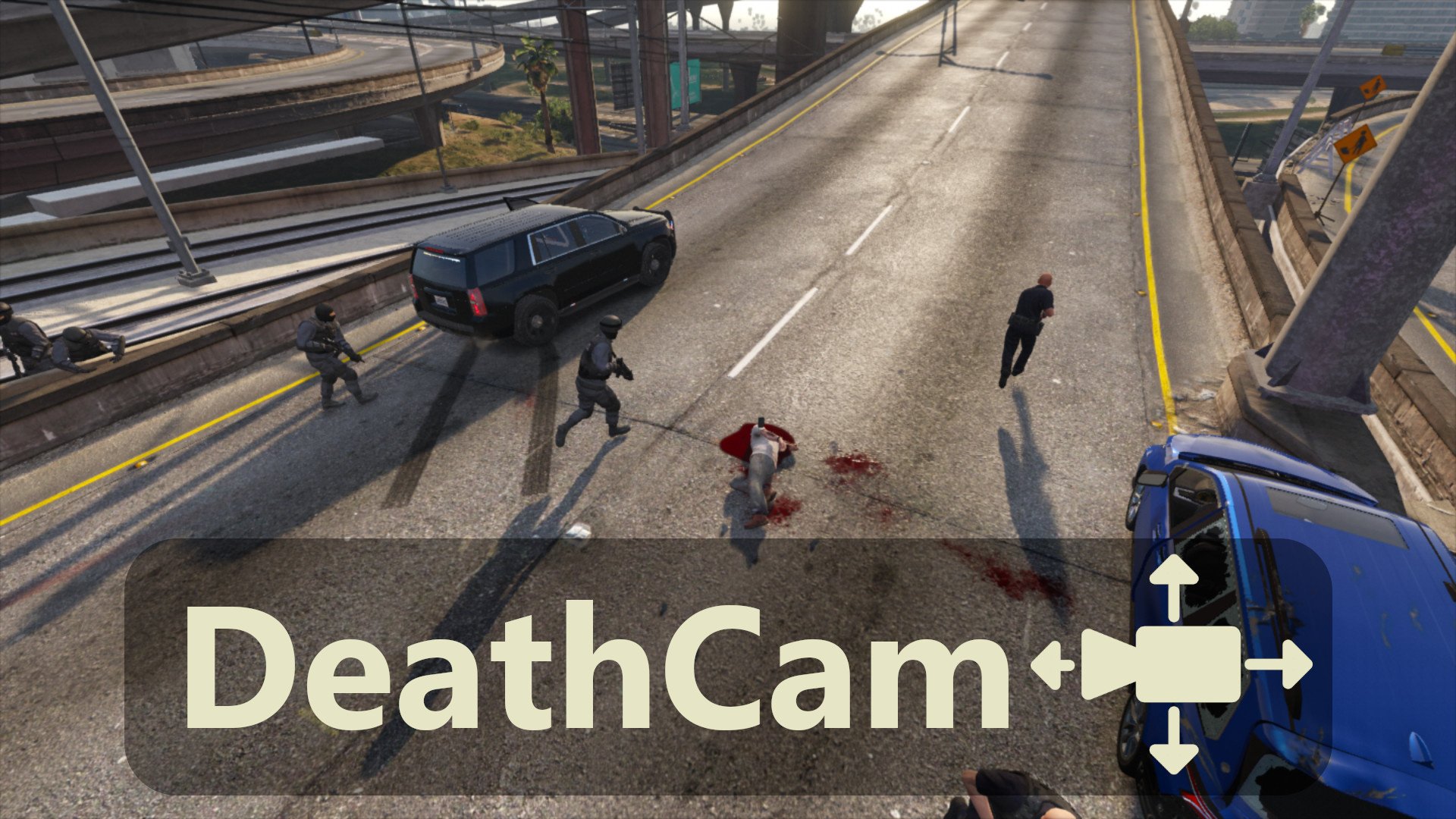
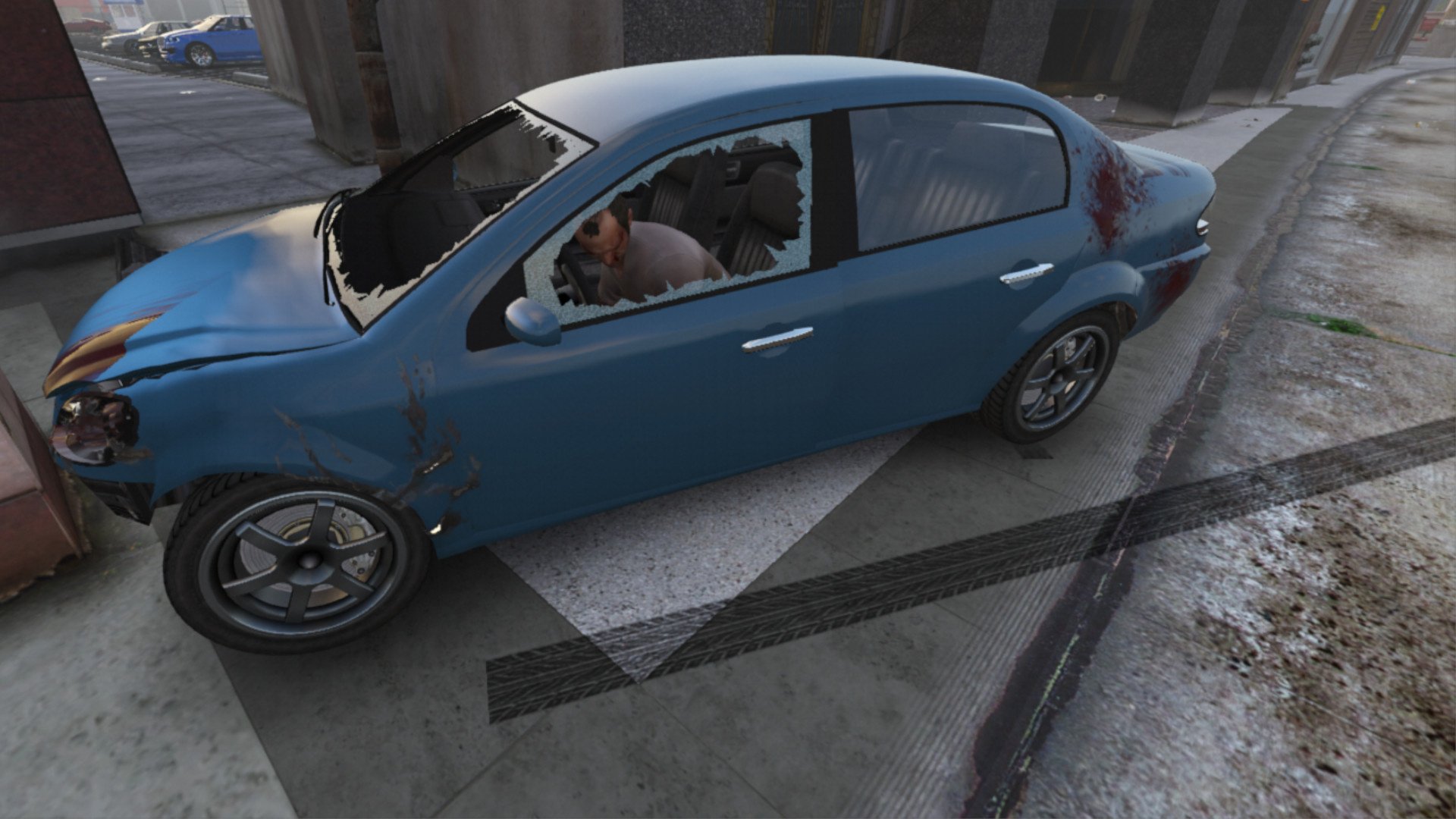
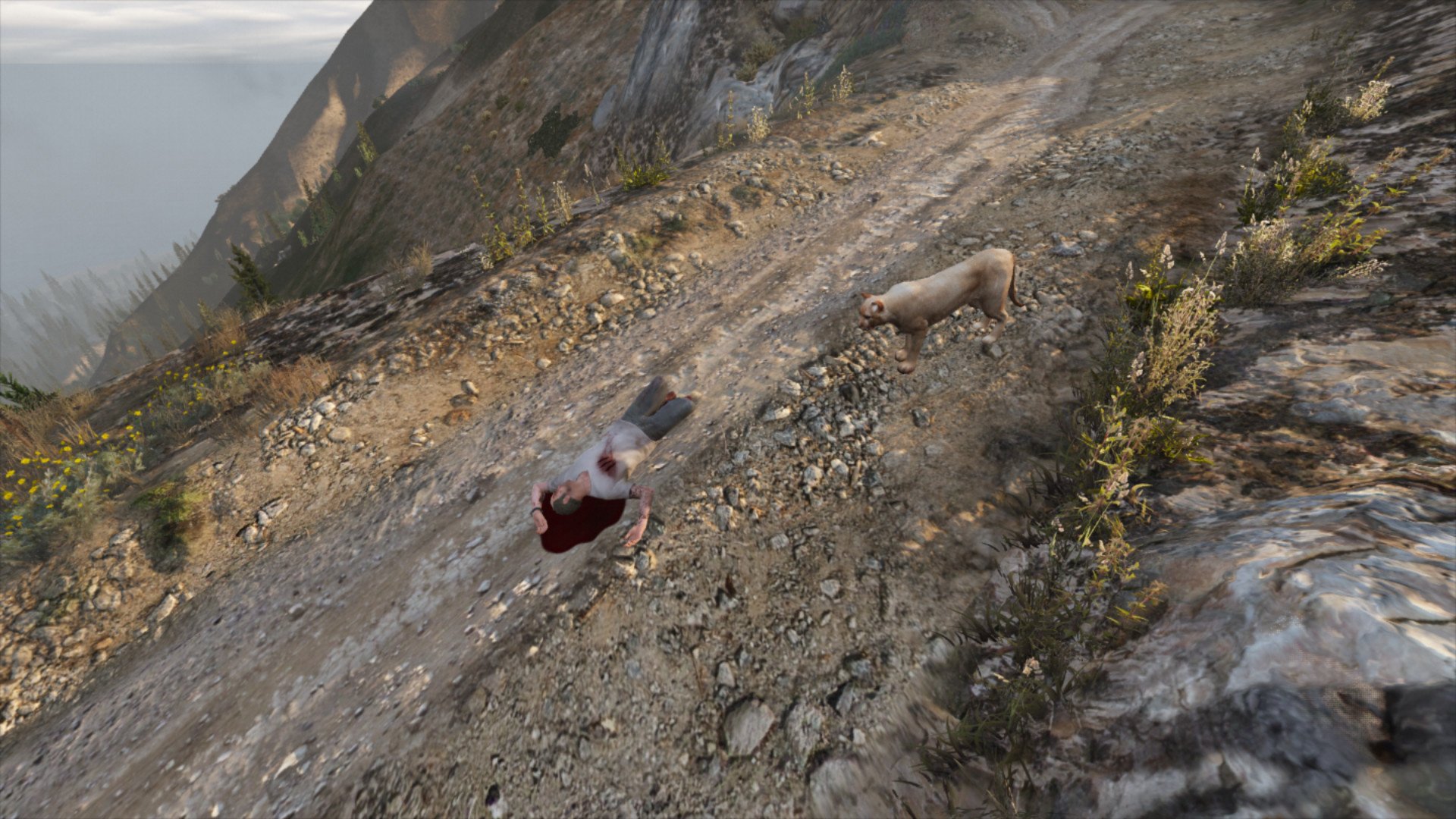
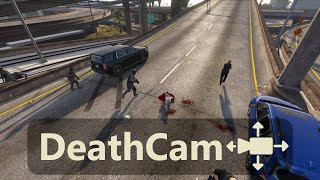
This plugin lets you observe what happens around you after your character dies. It disables the auto-respawn system and lets you move the camera freely for as long as you like. It also removes the black and white filter.
📂 Installation:
Prerequisite :
- RAGE Plugin Hook
- RAGENativeUI
Open the downloaded .zip archive, then drag and drop the contents of the “Grand Theft Auto V” folder into your game folder.
❗ Known issues and incompatibilities:
This plugin in incompatible with:
- Menyoo "Manual Respawn" feature (obviously),
- Menyoo + LSPDFR together.
🔧 Configuration
You can adjust some values in the .ini file :
- Visibility of the "Wasted" message
- Respawn at the hospital/respawn in place
- Freecam shake
📖 How it works:
After your character dies, you can move the camera around with the arrow keys and mouse (or with a controller).
Use Shift (⌨)/ Attack (🎮) to increase, and Ctrl (⌨)/ Aim (🎮) to decrease the camera movement speed.
You can also zoom in and out with the scroll wheel or the Phone Up/Phone Down controls.
Press the Jump control to reappear. Or Ctrl+Jump to respawn in place.
📝 Changelog
0.1.6 (Current) :
- Added support for respawning in place (can be configured in the .ini file). *[Requested by @Michael21107]*
- Improved controller support:
- Adjusted the speed factor of the camera's rotation,
- Updated the "increase camera's movement speed" control: Shift (keyboard)/Attack (controller),
- Added a "decrease camera's movement speed" control: Ctrl (keyboard)/Aim (controller),
- Improved plugin unloading behavior.
0.1.5 :
- Added a config file :
- HideWastedMessage: to hide the "Wasted" message
- CameraShake: to enable/disable camera shake
- Added detection of Menyoo. If detected, a warning is displayed (conflict).
- Added English/French translations.
0.1.4 :
- Replaced the movement speed control with “Stealth Mode” (instead of “Sprint,” which wasn’t detected properly)
0.1.3 :
- Improved camera transition when the player dies, the new camera takes the positon of the gameplay camera.
- Improved camera speed control : pressing the Sprint control slowly increase the speed. When the control is not pressed, the speed does back down.
- Improved controller support : the FOV can be adjusted with the Phone Up/down controls. The speed can be increased with the Sprint control.
- Added an Update Check system for future versions.
0.1.2 : Added support for death during missions
0.1.1 : Added controller support (partial)
0.1.0 : Initial release
🇫🇷 Francais
Ce plugin vous permet d'observer ce qui se passe autour de vous après la mort de votre personnage. Il désactive le système de réapparition automatique et vous permet de déplacer la caméra librement aussi longtemps que vous le souhaitez. Il supprime également le filtre noir et blanc.
📂 Installation :
Prérequis :
- RAGE Plugin Hook
- RAGENativeUI
Ouvrez l'archive .zip téléchargée, puis glissez le contenu du dossier “Grand Theft Auto V” dans votre dossier du jeu.
❗ Problèmes connus et incompatibilités :
Ce plugin est incompatible avec :
- L'option "Manual Respawn" de Menyoo (logiquement),
- Menyoo + LSPDFR ensemble.
🔧 Configuration
Vous pouvez ajuster certaines valeurs dans le fichier .ini :
- La visibilité de la bannière "Vous êtes mort"
- Réapparition à l'hôpital/réapparition sur place
- Tremblement de la caméra libre
📖 Fonctionnement :
Après la mort de votre personnage, vous pouvez déplacer la caméra à l'aide des touches fléchées et de la souris (ou avec une manette).
Utilisez la touche Maj (⌨)/ Attaque (🎮) pour augmenter, et Ctrl (⌨)/ Viser (🎮) pour diminuer la vitesse de la caméra.
Vous pouvez également effectuer un zoom avant et arrière à l'aide de la molette de la souris ou les touches Téléphone Haut/Téléphone Bas.
Appuyez sur la touche Saut pour réapparaître. Ou Ctrl+Saut pour réapparaitre sur place.
Source code
github.com/SSStuart/DeathCam_RPHPlugin
🇺🇸 English
This plugin lets you observe what happens around you after your character dies. It disables the auto-respawn system and lets you move the camera freely for as long as you like. It also removes the black and white filter.
📂 Installation:
Prerequisite :
- RAGE Plugin Hook
- RAGENativeUI
Open the downloaded .zip archive, then drag and drop the contents of the “Grand Theft Auto V” folder into your game folder.
❗ Known issues and incompatibilities:
This plugin in incompatible with:
- Menyoo "Manual Respawn" feature (obviously),
- Menyoo + LSPDFR together.
🔧 Configuration
You can adjust some values in the .ini file :
- Visibility of the "Wasted" message
- Respawn at the hospital/respawn in place
- Freecam shake
📖 How it works:
After your character dies, you can move the camera around with the arrow keys and mouse (or with a controller).
Use Shift (⌨)/ Attack (🎮) to increase, and Ctrl (⌨)/ Aim (🎮) to decrease the camera movement speed.
You can also zoom in and out with the scroll wheel or the Phone Up/Phone Down controls.
Press the Jump control to reappear. Or Ctrl+Jump to respawn in place.
📝 Changelog
0.1.6 (Current) :
- Added support for respawning in place (can be configured in the .ini file). *[Requested by @Michael21107]*
- Improved controller support:
- Adjusted the speed factor of the camera's rotation,
- Updated the "increase camera's movement speed" control: Shift (keyboard)/Attack (controller),
- Added a "decrease camera's movement speed" control: Ctrl (keyboard)/Aim (controller),
- Improved plugin unloading behavior.
0.1.5 :
- Added a config file :
- HideWastedMessage: to hide the "Wasted" message
- CameraShake: to enable/disable camera shake
- Added detection of Menyoo. If detected, a warning is displayed (conflict).
- Added English/French translations.
0.1.4 :
- Replaced the movement speed control with “Stealth Mode” (instead of “Sprint,” which wasn’t detected properly)
0.1.3 :
- Improved camera transition when the player dies, the new camera takes the positon of the gameplay camera.
- Improved camera speed control : pressing the Sprint control slowly increase the speed. When the control is not pressed, the speed does back down.
- Improved controller support : the FOV can be adjusted with the Phone Up/down controls. The speed can be increased with the Sprint control.
- Added an Update Check system for future versions.
0.1.2 : Added support for death during missions
0.1.1 : Added controller support (partial)
0.1.0 : Initial release
🇫🇷 Francais
Ce plugin vous permet d'observer ce qui se passe autour de vous après la mort de votre personnage. Il désactive le système de réapparition automatique et vous permet de déplacer la caméra librement aussi longtemps que vous le souhaitez. Il supprime également le filtre noir et blanc.
📂 Installation :
Prérequis :
- RAGE Plugin Hook
- RAGENativeUI
Ouvrez l'archive .zip téléchargée, puis glissez le contenu du dossier “Grand Theft Auto V” dans votre dossier du jeu.
❗ Problèmes connus et incompatibilités :
Ce plugin est incompatible avec :
- L'option "Manual Respawn" de Menyoo (logiquement),
- Menyoo + LSPDFR ensemble.
🔧 Configuration
Vous pouvez ajuster certaines valeurs dans le fichier .ini :
- La visibilité de la bannière "Vous êtes mort"
- Réapparition à l'hôpital/réapparition sur place
- Tremblement de la caméra libre
📖 Fonctionnement :
Après la mort de votre personnage, vous pouvez déplacer la caméra à l'aide des touches fléchées et de la souris (ou avec une manette).
Utilisez la touche Maj (⌨)/ Attaque (🎮) pour augmenter, et Ctrl (⌨)/ Viser (🎮) pour diminuer la vitesse de la caméra.
Vous pouvez également effectuer un zoom avant et arrière à l'aide de la molette de la souris ou les touches Téléphone Haut/Téléphone Bas.
Appuyez sur la touche Saut pour réapparaître. Ou Ctrl+Saut pour réapparaitre sur place.
Source code
github.com/SSStuart/DeathCam_RPHPlugin
최초 업로드: 2024년 10월 30일
마지막 업로드: 2026년 01월 12일
마지막 다운로드: 1일 전
댓글 25
More mods by SSStuart:
- 환경 설정
5.0
700
9
2.0
By SSStuart
(Legacy: ✅ | Enhanced: ❌)
🇺🇸 English
This plugin lets you observe what happens around you after your character dies. It disables the auto-respawn system and lets you move the camera freely for as long as you like. It also removes the black and white filter.
📂 Installation:
Prerequisite :
- RAGE Plugin Hook
- RAGENativeUI
Open the downloaded .zip archive, then drag and drop the contents of the “Grand Theft Auto V” folder into your game folder.
❗ Known issues and incompatibilities:
This plugin in incompatible with:
- Menyoo "Manual Respawn" feature (obviously),
- Menyoo + LSPDFR together.
🔧 Configuration
You can adjust some values in the .ini file :
- Visibility of the "Wasted" message
- Respawn at the hospital/respawn in place
- Freecam shake
📖 How it works:
After your character dies, you can move the camera around with the arrow keys and mouse (or with a controller).
Use Shift (⌨)/ Attack (🎮) to increase, and Ctrl (⌨)/ Aim (🎮) to decrease the camera movement speed.
You can also zoom in and out with the scroll wheel or the Phone Up/Phone Down controls.
Press the Jump control to reappear. Or Ctrl+Jump to respawn in place.
📝 Changelog
0.1.6 (Current) :
- Added support for respawning in place (can be configured in the .ini file). *[Requested by @Michael21107]*
- Improved controller support:
- Adjusted the speed factor of the camera's rotation,
- Updated the "increase camera's movement speed" control: Shift (keyboard)/Attack (controller),
- Added a "decrease camera's movement speed" control: Ctrl (keyboard)/Aim (controller),
- Improved plugin unloading behavior.
0.1.5 :
- Added a config file :
- HideWastedMessage: to hide the "Wasted" message
- CameraShake: to enable/disable camera shake
- Added detection of Menyoo. If detected, a warning is displayed (conflict).
- Added English/French translations.
0.1.4 :
- Replaced the movement speed control with “Stealth Mode” (instead of “Sprint,” which wasn’t detected properly)
0.1.3 :
- Improved camera transition when the player dies, the new camera takes the positon of the gameplay camera.
- Improved camera speed control : pressing the Sprint control slowly increase the speed. When the control is not pressed, the speed does back down.
- Improved controller support : the FOV can be adjusted with the Phone Up/down controls. The speed can be increased with the Sprint control.
- Added an Update Check system for future versions.
0.1.2 : Added support for death during missions
0.1.1 : Added controller support (partial)
0.1.0 : Initial release
🇫🇷 Francais
Ce plugin vous permet d'observer ce qui se passe autour de vous après la mort de votre personnage. Il désactive le système de réapparition automatique et vous permet de déplacer la caméra librement aussi longtemps que vous le souhaitez. Il supprime également le filtre noir et blanc.
📂 Installation :
Prérequis :
- RAGE Plugin Hook
- RAGENativeUI
Ouvrez l'archive .zip téléchargée, puis glissez le contenu du dossier “Grand Theft Auto V” dans votre dossier du jeu.
❗ Problèmes connus et incompatibilités :
Ce plugin est incompatible avec :
- L'option "Manual Respawn" de Menyoo (logiquement),
- Menyoo + LSPDFR ensemble.
🔧 Configuration
Vous pouvez ajuster certaines valeurs dans le fichier .ini :
- La visibilité de la bannière "Vous êtes mort"
- Réapparition à l'hôpital/réapparition sur place
- Tremblement de la caméra libre
📖 Fonctionnement :
Après la mort de votre personnage, vous pouvez déplacer la caméra à l'aide des touches fléchées et de la souris (ou avec une manette).
Utilisez la touche Maj (⌨)/ Attaque (🎮) pour augmenter, et Ctrl (⌨)/ Viser (🎮) pour diminuer la vitesse de la caméra.
Vous pouvez également effectuer un zoom avant et arrière à l'aide de la molette de la souris ou les touches Téléphone Haut/Téléphone Bas.
Appuyez sur la touche Saut pour réapparaître. Ou Ctrl+Saut pour réapparaitre sur place.
Source code
github.com/SSStuart/DeathCam_RPHPlugin
🇺🇸 English
This plugin lets you observe what happens around you after your character dies. It disables the auto-respawn system and lets you move the camera freely for as long as you like. It also removes the black and white filter.
📂 Installation:
Prerequisite :
- RAGE Plugin Hook
- RAGENativeUI
Open the downloaded .zip archive, then drag and drop the contents of the “Grand Theft Auto V” folder into your game folder.
❗ Known issues and incompatibilities:
This plugin in incompatible with:
- Menyoo "Manual Respawn" feature (obviously),
- Menyoo + LSPDFR together.
🔧 Configuration
You can adjust some values in the .ini file :
- Visibility of the "Wasted" message
- Respawn at the hospital/respawn in place
- Freecam shake
📖 How it works:
After your character dies, you can move the camera around with the arrow keys and mouse (or with a controller).
Use Shift (⌨)/ Attack (🎮) to increase, and Ctrl (⌨)/ Aim (🎮) to decrease the camera movement speed.
You can also zoom in and out with the scroll wheel or the Phone Up/Phone Down controls.
Press the Jump control to reappear. Or Ctrl+Jump to respawn in place.
📝 Changelog
0.1.6 (Current) :
- Added support for respawning in place (can be configured in the .ini file). *[Requested by @Michael21107]*
- Improved controller support:
- Adjusted the speed factor of the camera's rotation,
- Updated the "increase camera's movement speed" control: Shift (keyboard)/Attack (controller),
- Added a "decrease camera's movement speed" control: Ctrl (keyboard)/Aim (controller),
- Improved plugin unloading behavior.
0.1.5 :
- Added a config file :
- HideWastedMessage: to hide the "Wasted" message
- CameraShake: to enable/disable camera shake
- Added detection of Menyoo. If detected, a warning is displayed (conflict).
- Added English/French translations.
0.1.4 :
- Replaced the movement speed control with “Stealth Mode” (instead of “Sprint,” which wasn’t detected properly)
0.1.3 :
- Improved camera transition when the player dies, the new camera takes the positon of the gameplay camera.
- Improved camera speed control : pressing the Sprint control slowly increase the speed. When the control is not pressed, the speed does back down.
- Improved controller support : the FOV can be adjusted with the Phone Up/down controls. The speed can be increased with the Sprint control.
- Added an Update Check system for future versions.
0.1.2 : Added support for death during missions
0.1.1 : Added controller support (partial)
0.1.0 : Initial release
🇫🇷 Francais
Ce plugin vous permet d'observer ce qui se passe autour de vous après la mort de votre personnage. Il désactive le système de réapparition automatique et vous permet de déplacer la caméra librement aussi longtemps que vous le souhaitez. Il supprime également le filtre noir et blanc.
📂 Installation :
Prérequis :
- RAGE Plugin Hook
- RAGENativeUI
Ouvrez l'archive .zip téléchargée, puis glissez le contenu du dossier “Grand Theft Auto V” dans votre dossier du jeu.
❗ Problèmes connus et incompatibilités :
Ce plugin est incompatible avec :
- L'option "Manual Respawn" de Menyoo (logiquement),
- Menyoo + LSPDFR ensemble.
🔧 Configuration
Vous pouvez ajuster certaines valeurs dans le fichier .ini :
- La visibilité de la bannière "Vous êtes mort"
- Réapparition à l'hôpital/réapparition sur place
- Tremblement de la caméra libre
📖 Fonctionnement :
Après la mort de votre personnage, vous pouvez déplacer la caméra à l'aide des touches fléchées et de la souris (ou avec une manette).
Utilisez la touche Maj (⌨)/ Attaque (🎮) pour augmenter, et Ctrl (⌨)/ Viser (🎮) pour diminuer la vitesse de la caméra.
Vous pouvez également effectuer un zoom avant et arrière à l'aide de la molette de la souris ou les touches Téléphone Haut/Téléphone Bas.
Appuyez sur la touche Saut pour réapparaître. Ou Ctrl+Saut pour réapparaitre sur place.
Source code
github.com/SSStuart/DeathCam_RPHPlugin
최초 업로드: 2024년 10월 30일
마지막 업로드: 2026년 01월 12일
마지막 다운로드: 1일 전
 5mods on Discord

@Elzimbabwe
It could come from different things.
If you need support, you can contact me on Discord (link on my profile)
@CriticTagz Hi 👋,
Thank you for your feedback.
I haven't found a way to remove the “muffled” effect on the sound after the player dies.
However, mission deaths should now work properly 👍.
@SSStuart upload a video of this,please
Hi could you please add an unistall archive to the oiv please, it crashed my game.
Thank you
@neon28 Hello,
This is a RAGE Plugin Hook plugin. To uninstall it, simply delete the [Game folder]/plugins/DeathCam.dll file.
Oh thank you, you see i´m new at modding that´s why i thought i nedded an OIV uninstall file
Thank you ╰(*°▽°*)╯
@Zazerim55
Done,
thanks for the suggestion 👍
@SSStuart Do you think you could make a gtav story mode compatible version without the use of Rage plugin?
@jjj777 Hi,
You would be interested in a “Script Hook V” or “SHV .NET” script? I've never made one, but I could look into it.
Script Hook V version would be fantastic. I really want to try your mod but hate rage plugin. Greatly appreciate it if you could release a script hook version.
@Portland01 sounds like you should look into watch your death mod
damn this plugin crashes when the game is loading :(
whenever i try to play it crashes
@shapka90 @Jaquavi24
(If you are still trying to use this plugin and having this issue) Could you send your RPH log to me on Discord (link on my profile) ?
I tried it again and it still just doesn't work. When I die it's the normal process without having any way of moving the camera around. If I try to reload the plugin, then the plugin itself crashes.
do you think you could still develop this for normal scripthook storymode?
@jjj777
Hello,
I tried to create an SHV script, without success. Maybe I'll try again another time, but with no guarantees.
Great mod! Would it be possible to add an option in the .ini where the player's corpse stays in the world after respawning?
@alexrevertex
Interesting idea, but I think it would be weird to see your own body (or rather a copy of it).
wow this is awesome! i've been looking everywhere for a mod that does this.