Realistic Muzzle Flash Effect 1.0


![Peds Pain & Death Sounds Improvements [New Death & Pain Sounds For Peds]](https://img.gta5-mods.com/q75-w500-h333-cfill/images/new-death-sounds-for-peds/46f9ce-ids.png "Peds Pain & Death Sounds Improvements [New Death & Pain Sounds For Peds]")


1,500
16
1,500
16
DESCRIPTION
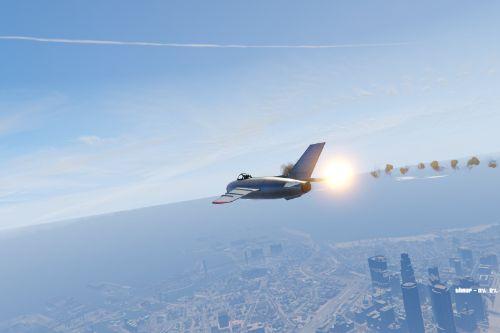
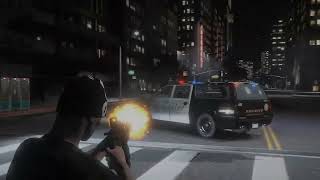
Realistic particles for gta5, based on a mod from logoso2020.
In which i simply added more muzzle flash effects and fixed the excessive flash overexposure in the original mod.
FEATURES
Larger flash for all weapons
Custom explosion.dat file for best experience
Particle collision for rocks, glass, explosion debris, and sparks
More modern revamped explosions and fire
Improved bullet impact smoke
New fire and explosion flipbooks
INSTALLATION
Just use openiv and make sure the particle quality is set to highest
Following the screenshots and file paths, transfer them using Openiv.
update - update.rpf - x64 - patch - data - effect (for ptfx)
update - update.rpf - common - data - effects
Important
Check out the discord server to get a better version for FiveM
Realistic particles for gta5, based on a mod from logoso2020.
In which i simply added more muzzle flash effects and fixed the excessive flash overexposure in the original mod.
FEATURES
Larger flash for all weapons
Custom explosion.dat file for best experience
Particle collision for rocks, glass, explosion debris, and sparks
More modern revamped explosions and fire
Improved bullet impact smoke
New fire and explosion flipbooks
INSTALLATION
Just use openiv and make sure the particle quality is set to highest
Following the screenshots and file paths, transfer them using Openiv.
update - update.rpf - x64 - patch - data - effect (for ptfx)
update - update.rpf - common - data - effects
Important
Check out the discord server to get a better version for FiveM
최초 업로드: 2025년 12월 29일 (월)
마지막 업로드: 2026년 05월 02일 (토)
마지막 다운로드: 2시간 전
댓글 14
DESCRIPTION
Realistic particles for gta5, based on a mod from logoso2020.
In which i simply added more muzzle flash effects and fixed the excessive flash overexposure in the original mod.
FEATURES
Larger flash for all weapons
Custom explosion.dat file for best experience
Particle collision for rocks, glass, explosion debris, and sparks
More modern revamped explosions and fire
Improved bullet impact smoke
New fire and explosion flipbooks
INSTALLATION
Just use openiv and make sure the particle quality is set to highest
Following the screenshots and file paths, transfer them using Openiv.
update - update.rpf - x64 - patch - data - effect (for ptfx)
update - update.rpf - common - data - effects
Important
Check out the discord server to get a better version for FiveM
Realistic particles for gta5, based on a mod from logoso2020.
In which i simply added more muzzle flash effects and fixed the excessive flash overexposure in the original mod.
FEATURES
Larger flash for all weapons
Custom explosion.dat file for best experience
Particle collision for rocks, glass, explosion debris, and sparks
More modern revamped explosions and fire
Improved bullet impact smoke
New fire and explosion flipbooks
INSTALLATION
Just use openiv and make sure the particle quality is set to highest
Following the screenshots and file paths, transfer them using Openiv.
update - update.rpf - x64 - patch - data - effect (for ptfx)
update - update.rpf - common - data - effects
Important
Check out the discord server to get a better version for FiveM
최초 업로드: 2025년 12월 29일 (월)
마지막 업로드: 2026년 05월 02일 (토)
마지막 다운로드: 2시간 전
 5mods on Discord

good
make one without the tracers
@Solidrudy You can remove tracers in weapons.meta, but its kinda complex if you're new
for some reason it doesnt work
and my particle quality is set to highest
pls help
nevermind it works i instead put it in mods folder
How do you edit PTFX if you dont mind me asking?
Goated
@itsyaboi0008 ever figure it out
@deleternal You mean PTFX or tracers?
@itsyaboi0008 The PTFX edit, i have those better weapon bullet shells i wanna combine with this one and some fire textures
@deleternal Basically you need codewalker, find the PTFX files and export them to XML. Then inside you can find the textures, if you wanna change how the effects work, you pretty much gotta look through the xml files with notepad or with Microsoft Visual Studio
@itsyaboi0008 Thanks hella bro, got my stuff working as needed with this one